
The samples below are real on-line manuals made with the Dr.Explain tool. Besides the HTML manuals, the Dr.Explain produces help files in CHM, RTF and PDF format as well.
Also read Dr.Explain real use cases and user stories and read user feedback about Dr.Explain software.
The Dr.Explain made the help system for itself!
We used the Dr.Explain to compile its own on-line user guide. The help authoring process is easy, fast and intuitive.
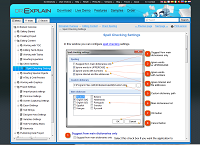
On-line help: https://www.drexplain.com/help/
PDF manual: https://www.drexplain.com/support/dr_explain_user_guide.pdf
TBS Cover Editor's amazing help manual made with the Dr.Explain tool
TBS Cover Editor is an ultimate solution for fast creation of high-quality 3D box shots.
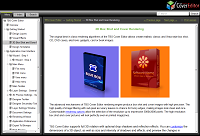
The program supports all the steps of box shot creation: from drafting and design, to 3D scene setting and image rendering. TBS Cover Editor will serve you a good deal in giving a professional image to your product. Sleek 3D box shots will put your product a step ahead of the competition, so don't miss the chance!
Creation of user manuals for hardware and devices with Dr.Explain
A quickshifter on a motorcycle enables the rider to very rapidly shift without closing the throttle or disengaging the clutch. It works by killing the ignition for a short period of time in order to relieve stress on the gearbox, thus allowing the pressure on the gear lever to smoothly slip the transmission into the next gear.
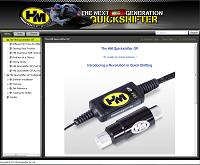
The result of many years of development at world renowned HM Quickshifter labs, the HM Quickshifter GP is the quickshifter for racing teams and individual riders who want (and/or need) to squeeze the bleeding edge of power and efficiency out of their motorcycles.
The HM Quickshifter GP Configuration Tool is the mating software that runs on a Windows PC or laptop and is used to set up and tune the HM Quickshifter GP, as well as read its event log and update its firmware.
Building the HM Quickshifter GP’s help file, printable User’s Guide, and on-line User’s Guide (CHM, PDF, and HTML respectively) with Dr.Explain was a pleasure. It is easy to tell that the producers of Dr.Explain either regularly make help files themselves, and/or they listen very well to their customers and add requested features that are real productivity assets. While Dr.Explain is a generic documentation tool, it has outstanding productivity boosters in the area of documenting Windows software applications. In terms of things that boosted my own productivity, I lost count. As a result of this plus the ability to get up to speed quickly (Dr.Explain has an excellent help file appropriately created with Dr.Explain itself), Dr.Explain is now my technical writing tool of choice.
Victor Wheeler
WGA Crystal Research, Inc.
A famous vendor of video processing software uses Dr.Explain to create online manuals
Movavi is the company developing simple, easy-to-use and effective video processing software.
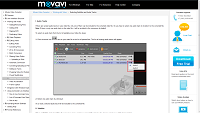
Movavi Video Converter allows you to convert video and audio into more than 180 media formats, encode for more than 200 mobile devices, convert 2D video to 3D and upload converted videos on the Web! Movavi Video Editor allows you to add special effects, graphic, music, titles to your video, remove unwanted footage or change the background. Movavi Screen Capture is all-purpose screen recording software that enables you to record anything you see on your screen.
The built-in screenshot capturing tool, the annotation feature and the full formatting functional, as well as the excellent technical support, who helped us to implement the possibility to automatically generate Online Help in our exclusive website design - are the things that make our work with Dr.Explain easy and enjoyable, the program itself - unique and helpful, and the service - professional!
Marina Kazarceva
Movavi Technical Writer
Soltic ERP V4 online help built with Dr.Explain
Soltic ERP is a powerfully ERP targeted in small and medium companies.
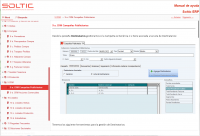
It has several modules, as CRM, LIMS, ISO, Task Manager and so.
Moreover, Soltic ERP is focused in several productive/economic sectors as, Metal strucutures, Serialized Manufacturers, Textile manufacturers, Glass and glassware manufacturers and Laboratory management.
We are very happy with Dr. Explain, the editor is very intuitive and powerfully. We drastically reduced the time spent in writing our help manual.
Head of development team
Soltic ERP
The dean3's stylish online help built with the Dr.Explain 4
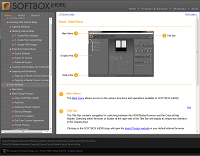
dean3 SOFTBOX (HDRI) for TurboCAD is a library of studio-style High Dynamic Range Images designed to help the TurboCAD user produce professional renderings with minimal setup time.
I just wanted to extend my thanks to the Dr. Explain team for putting together such a great product. I am a one man company and just released my first software application. Dr Explain has helped me more than you'll know.
P.S. I started my project in version 3 and have been using version 4 since it became available. You have made some tremendous improvements. Well done.
Brad D. Easterday
dean3 Design LLC
Dr.Explain helped to create a stylish and flexible manual for Website Realizer
Website Realizer is a what-you-see-is-what-get (WYSIWYG) type website builder. It makes easy the creation of a professional and great looking website. It includes all the necessary tools to build a website.
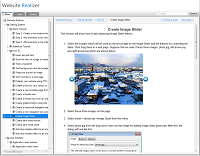
We use Dr Explain to create the help manual of our software. Documentation has never been easy for us but Dr Explain's approach in writing help manual does simply the task a lot. It is easy to use and we become productive in a very short time. The generated on-line manual is quite flexible that we can make it fit the style of our website.
Adrian Yiu
Adritech Software
Using Dr.Explain to work on the new help manual for DigitalVolcano products
DigitalVolcano Software is an independent company based in the UK. Company publish several titles for Microsoft Windows.
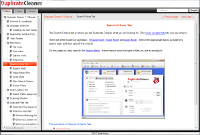
Duplicate Cleaner is a very popular Windows utility to find and delete duplicate files, music, pictures and docs. TextCrawler is a program for searching and replacing in bulk text files – useful for programmers and web designers.
I’m currently using Dr.Explain to work on the new docs for Duplicate Cleaner Pro 4.0. I also did the help file and docs for our other product TextCrawler 3 with Dr.Explain.
I found Dr.Explain very useful in putting together our help files – the program is quick and easy to use, and I particularly like the way you can pull in screenshots and have them automatically annotated. Updating the screenshots when the program changed was effortless as well.
Our programs use Compiled help files (CHM), and referencing specific pages from inside our apps was made straightforward.
We also liked the way you can generate online documentation (HTML) with no extra effort.
James Roberts, CEO/Owner
DigitalVolcano Software Ltd
Genealogy software help file was made with Dr.Explain
Behold is a genealogy program for Windows that allows you to view and use all your genealogy data at once. Behold will improve the way you work with your family tree data. You will always know what data you have and don't have.
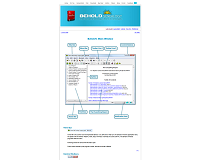
I've tried a number of different programs to develop my documentation for Behold, but Dr. Explain's use of callouts on screenshots was a fantastic idea that separated itself from the others. Dr. Explain makes the construction of the page easy, allowing me to spend most of my time on the content.
Louis Kessler
Behold Genealogy
Simple Renting made its online user guide with the Dr.Explain tool
Simple Renting's website builder will create you a professional property rental website in minutes through a very simple control panel. You have full control of how you market your property and you won't share a website with other competing properties.
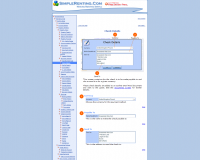
Dr. Explain saved us many hours and allowed us to create help for our service in a very structured way. We found Dr Explain very intuitive and we would highly recommend it to anybody who needs to document their product and deploy it on the Internet, within an application or into a word processing document.
Darren Stoppler
Stoppler Solutions Inc.
DBF Doctor used the Dr. Explain for annotating screenshots for its Guide to the Tools and Features
DBF Doctor enables you to restore important data from a damaged or corrupt database file in minutes.
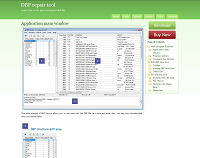
I have to say I'm very impressed with Dr. Explain. Thank you all for developing a great product, and especially for making available the absolute best tool of its class.
Alexander A. Kardailsky
Astersoft Co. Ltd.
Member of the Association of Shareware Professionals (ASP)
The Dr.Explain in data mining industry
Tiberius is a predictive modelling application that will help you find hidden patterns in your data.
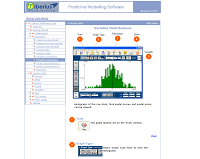
Dr Explain made generating the help files a pleasure rather than a chore.
Dr. Phil Brierley
Tiberius Data Mining
Message Parse online manual is made with the Dr.Explain
Message Parse by Cypress Technologies is a program that extracts information from email messages to be imported to database type programs. Great tool for web forms where the results are email to you.
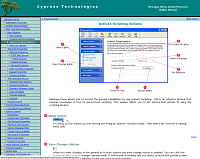
We started using the Dr.Explain for our online and application help files because it allows us to do all our documentation requirements in one place.
James Hall
Cypress Technologies
PDFtypewriter used the Dr.Explain to compile online help
Create PDFs via the PDFtypewriter Printer Driver from any program. PDFtypewriter allows users to use a friendly interface to open, edit, add and fill form fields, save as PDF, and print and convert PDF files.
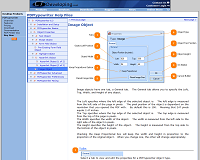
Using Dr. Explain we were able to quickly and easily port over our old linear documentation to a much more user friendly GUI based help resource.
Chris Truxaw
CT Developing
Xpress Software used the Dr.Explain tool to document their Advanced Time Reports software
Advanced Time Reports is an intuitive time tracking & project management solution that will help you increase your billable hours by better managing all your projects, clients and working hours. Used by professionals and project-oriented businesses worldwide to perform essential functions such as timesheet reporting and project management. Plus, ATR implementation is very fast - it typically takes just a few minutes to setup.
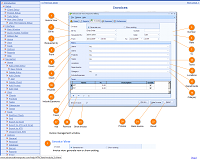
I really like Dr.Explain. It's helped me to prepare software documentation fast and without exhausting text and image formatting.
Andrei Kharin
Xpress Software Inc.
Help file for Printer Squirrel
Printer Squirrel is an application that monitors print jobs being sent to printers, and sets charges for these jobs. Printer Squirrel records details such as the user who sent the job, job title, printing parameters and the number of pages printed for each print job, and then assigns a charge for the job. Users can be organised into functional groups and usage reports and charts can be produced for each group. Reports on printer usage can also be automatically emailed printed or saved to file.
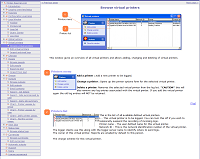
We have found Drexplain to be an excellent product - help files are now (almost) fun rather than being a tedious chore. All stages of help file construction are smooth and intuitive and the resultant help files look great. The time savings gained over coventional help authoring systems is considerable.
Murray Gillespie
Lygil Software
The Dr.Explain was used for MyCourts documentation writing
MyCourts is an intuitive booking system for tennis and other court based sporting facilities. It provides you with the ability to quickly record a court booking, check availability of a court, lookup who owns the booking, keep track of regular users, record POS data, print and view reports and more.
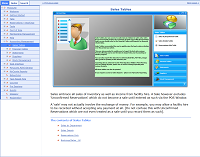
No matter how intuitive, help must only be a click away, easy to find and simple to understand. We chose Dr. Explain for it's ease of use and great end product layout for all our help needs - chm, html and pdf.
Glen Harvy
Aquarius Communications
The Dr.Explain helps to build neural networks
EasyNN-plus builds Neural Networks for marketing, sales forecasting, work planning, investing, property valuation, game playing, health, medicine, currency trading, stock trading, travel, sports, match predictions, betting, fitness, insurance, weather forecasting and much more.
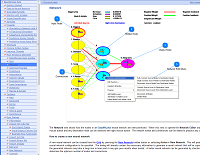
After months making excuses not to create html help I started the work using Dr Explain. Help in html format, chm format and a user manual were all ready within a few days.
Steve Wolstenholme
Neural Planner Software Ltd
ViceVersa created the screenshot gallery with the Dr.Explain
ViceVersa is the Award-Winning Windows XP, 2003, 2000, Me, 98 software designed for File Synchronization, File Replication, File Backup and File Comparison
We have successfully used your Dr.Explain program for our help file and also for some of the pages on the web. Great program! Please let me add that Dr.Explain really has cut the job of explaining the user interface of ViceVersa by half (at least) and produced a very professional output.
Director
TGRMN Software
The sample of help file made with the Dr.Explain from JetTask Software
JetTask is the ultimate task list. It's lightweight, easy to use, and has tons of great features. JetTask makes it easy to keep track of your tasks by providing a simple way to add and complete tasks.
Dr. Explain is a great tool! They have clearly put a lot of thought and work into this product. It is very rare these days to find software that just "works the way it should" - but Dr Explain is such a tool. Thanks for making such a great product!
Director
JetTask Software
Look at our stylish on-line help for TBS Cover Editor! It was made with the Dr.Explain practically in a single work day. It's a fantastic tool!
Director
True Boxshot Software