

Dr.Explain 6.7 (Winter, 2023-2024): The upgrade is free for all 6.x users :
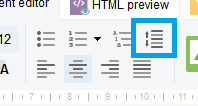
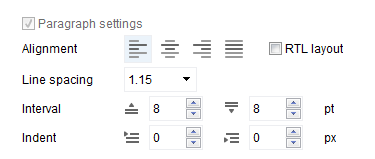
- The new version includes support for intervals and margins for text styles and selected fragments.
- Import from Word format has been improved.
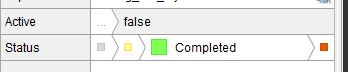
- Adjusted status colors for people with special color perception.
- The drag-n-drop mechanism of sections in the project tree has been redesigned.
- Optimized work with large images.
- Optimized the toolbar of the text editor.
- Improved smoothness of scrolling in the editor.
- Made several performance improvements and fixes.
Dr.Explain 6.6 (Summer, 2023): The upgrade is free for all 6.x users :
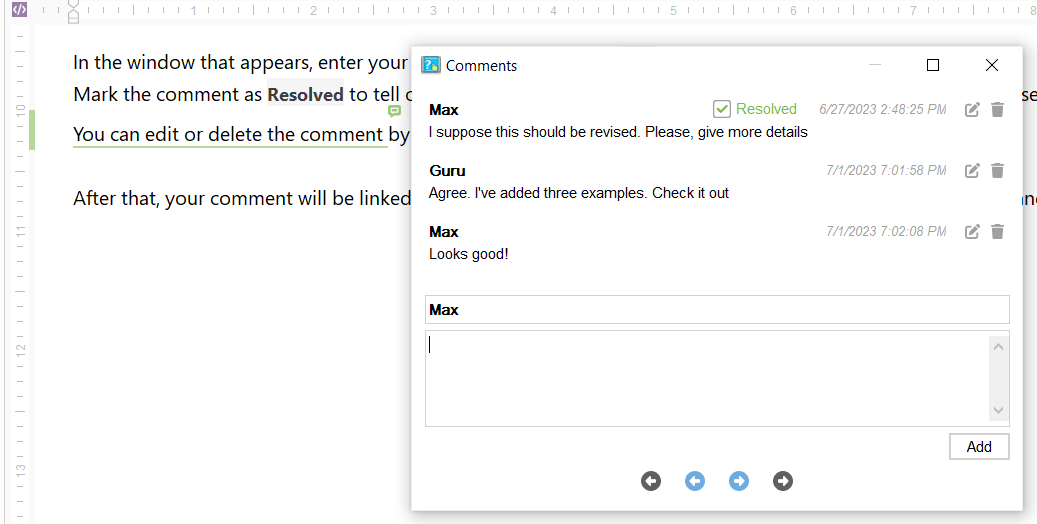
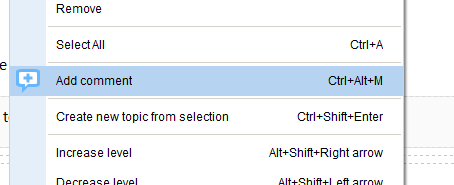
- The new version introduces commenting on topic content.
You can communicate better by exchanging opinions, suggestions, and feedback through comments directly in the document.
See also: The help documentation on commenting - Automatically formatting URLs and email addresses as hyperlinks when inserted.
- Automatically resizing images that are too large when adding them.
- The Find dialog doesn't need to be closed to edit content.
- Synchronization in collaboration mode is now faster for large projects.
- Text editor toolbar has been optimized.
- Shortcut to quickly switch from Preview to editing content.
- UI colors fresh up.
- The web help template has been modernized with improved UX mechanics and more stylish UI elements.
- Improved HTML import of exported spaces from Confluence.
- A dozen of performance improvements and fixes were made.
Dr.Explain 6.5 (Fall, 2022 - Winter, 2023) : The upgrade is free for all 6.x users :
- The new version introduces the Text blocks.
Text block is a part of the content which has a specific design and logic of export.
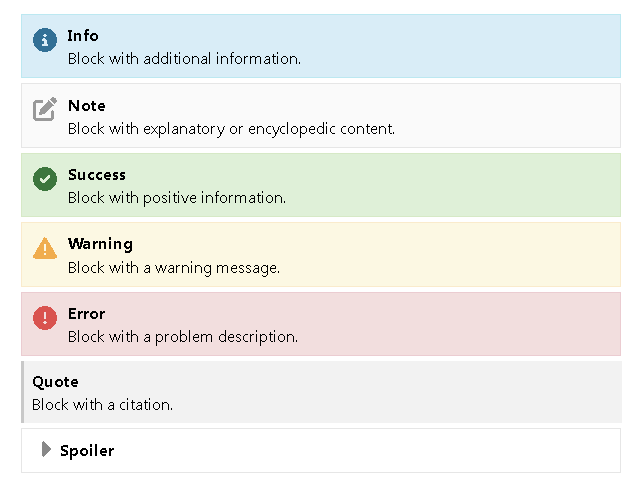
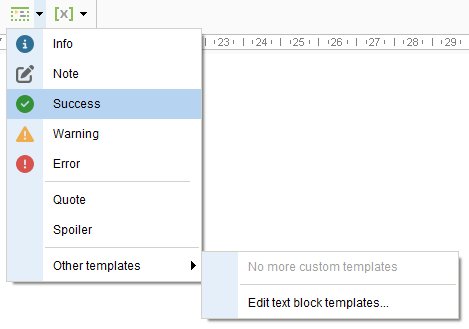
The two main scenarios of text block usage are assuming:- Setting a special design for specific parts of content: warnings, additional information, explanations, quotes, and etc.
- Setting logic rules for the content parts output: to specify what content should be output into final document under various conditions.
The approach is handy for creating documents of various levels of detailing from the same source project.
For instance: User manual, Operator manual, and Administrator manual.
- In the new version you can specify logical conditions for topic output to the final document upon export.
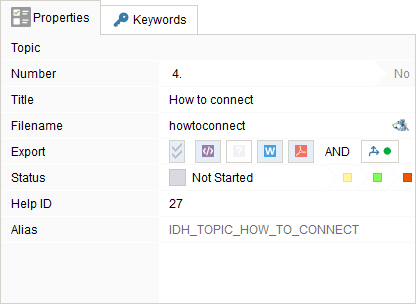
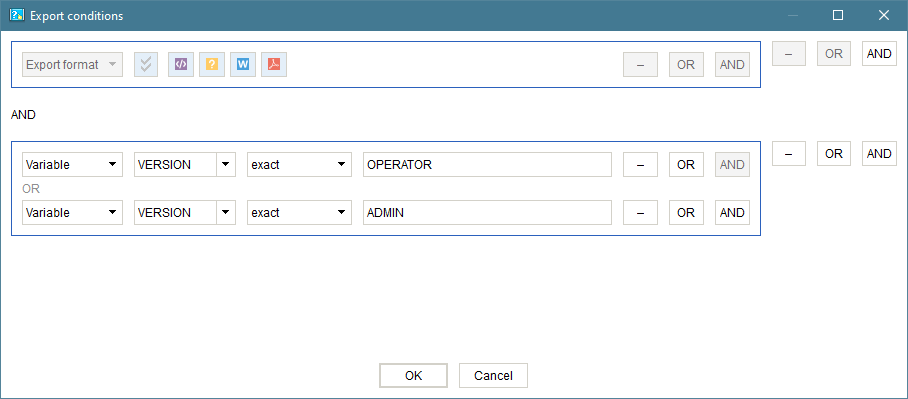
So, for instance, you can create multiple documents with different table of contents out of a single project. - The speed of network operations in Collaboration mode were increased.
- A dozen of performance improvements and fixes were made.
Dr.Explain 6.4 (Spring, 2022) : The upgrade is free for all 6.x users :
- Support of Local Collaboration Servers was added.
Read more about Dr.Explain Collaboration Server at https://www.drexplain.com/server/ - The speed of network operations in Collaboration mode were increased.
- The responsiveness of online help was improved.
- jQuery version in online help was updated.
- A dozen of performance improvements and fixes were made.
Dr.Explain 6.3 (Fall, 2021) : The upgrade is free for all 6.x users :
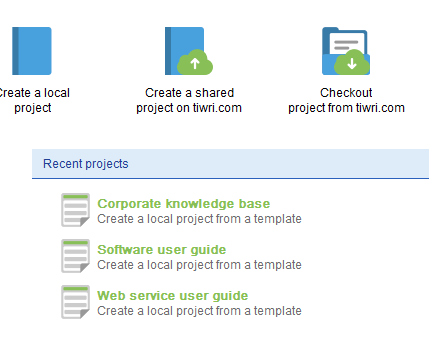
- A collection of user manual templates that will help you get started with your new project quickly.
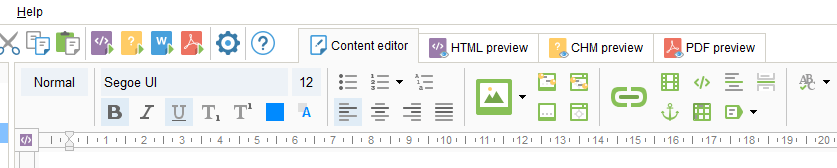
- A redesigned toolbar in the content editor simplifies and speeds up access to the most commonly used operations.
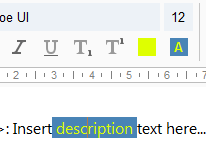
- Background color support for text allows you to highlight important content.
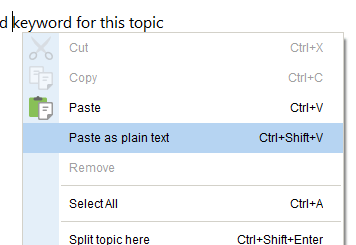
- "Paste as plain text" with the Ctrl+Shift+V hotkey is another way to quickly grab content from external sources.
- Semantic tags in HTML documents will improve your online manual's SEO factors and content accessibility.
- More accurate DOC/DOCX document importing simplifies the reusing of your existing documentation.
- "Search in filenames" simplifies navigation around the project.
- A dozen of performance improvements and fixes were made.
Dr.Explain 6.2 (Summer, 2021) : The upgrade is free for all 6.x users :
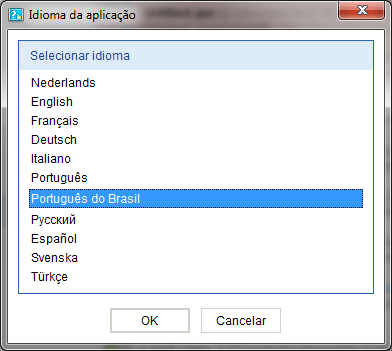
- Brazilian Portuguese user interface localization was added.
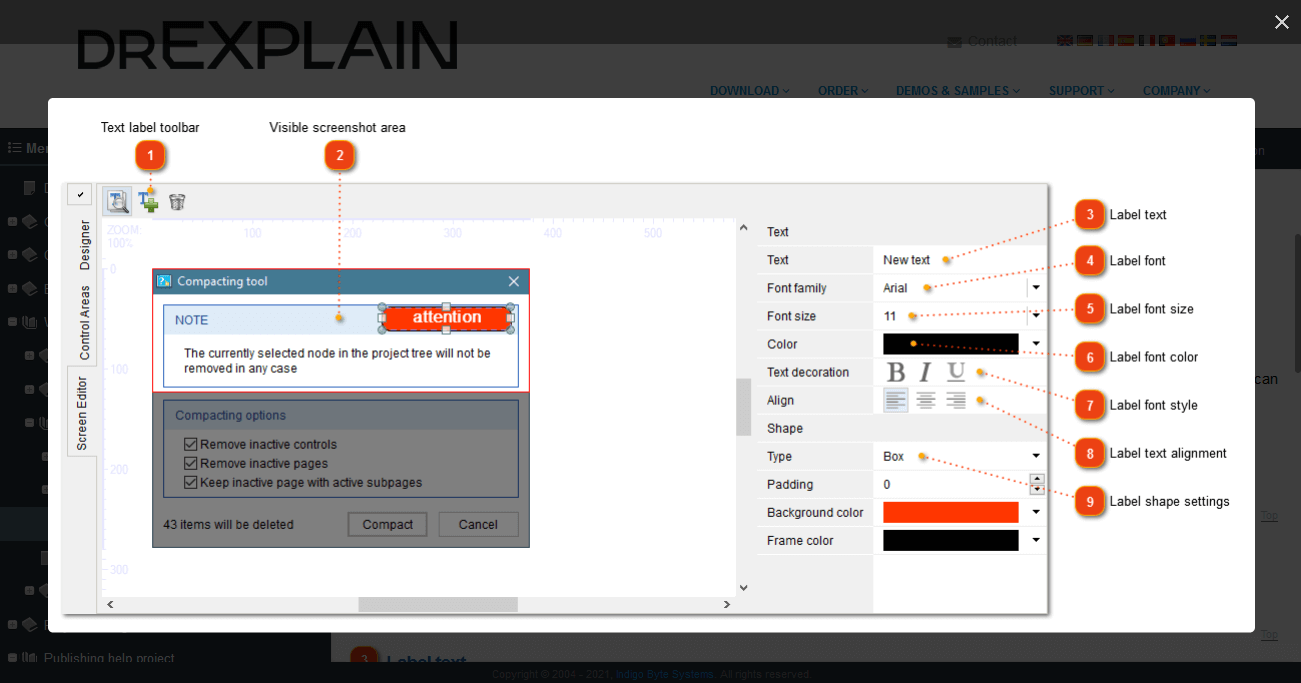
- Lightbox effect for images in online manuals and CHM files will impress your documentation readers.
- The new clean and light user interface provides more comfortable work.
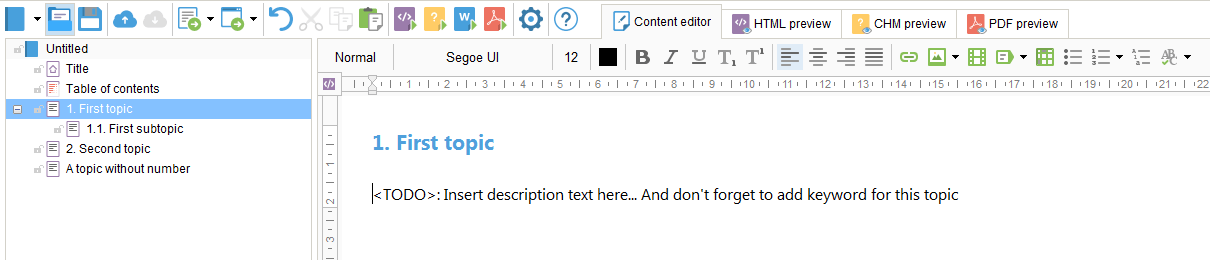
- The new modern style of the default project will make your content looks more attractive and easy to read.
- The optimized text editor will improve your content editing performance.
- The HTML preview component now supports all modern web standards and features.
- The PDF preview doesn’t require Adobe Acrobat Reader anymore.
- The optimized network component assures faster multi-user work.
- A dozen of performance improvements and fixes were made
Dr.Explain 6.1 (Summer, 2020) : The upgrade is free for all 6.x users :
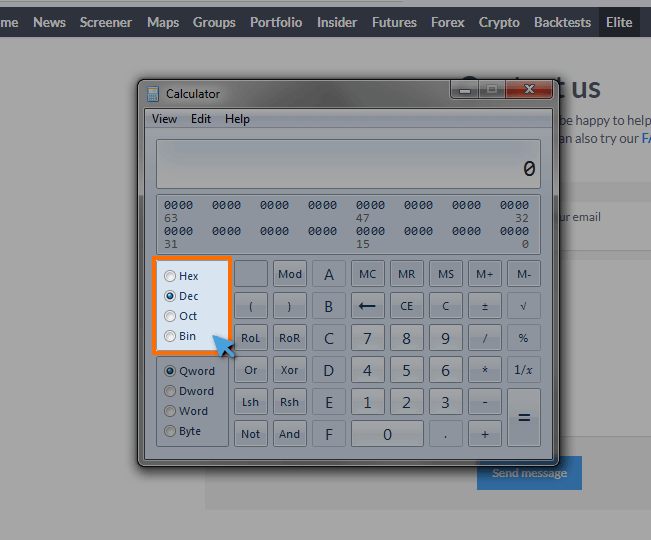
- The new algorithms of automatic annotation for web pages assure better recognition of significant controls and filter out most secondary elements. This is a great new time saver.
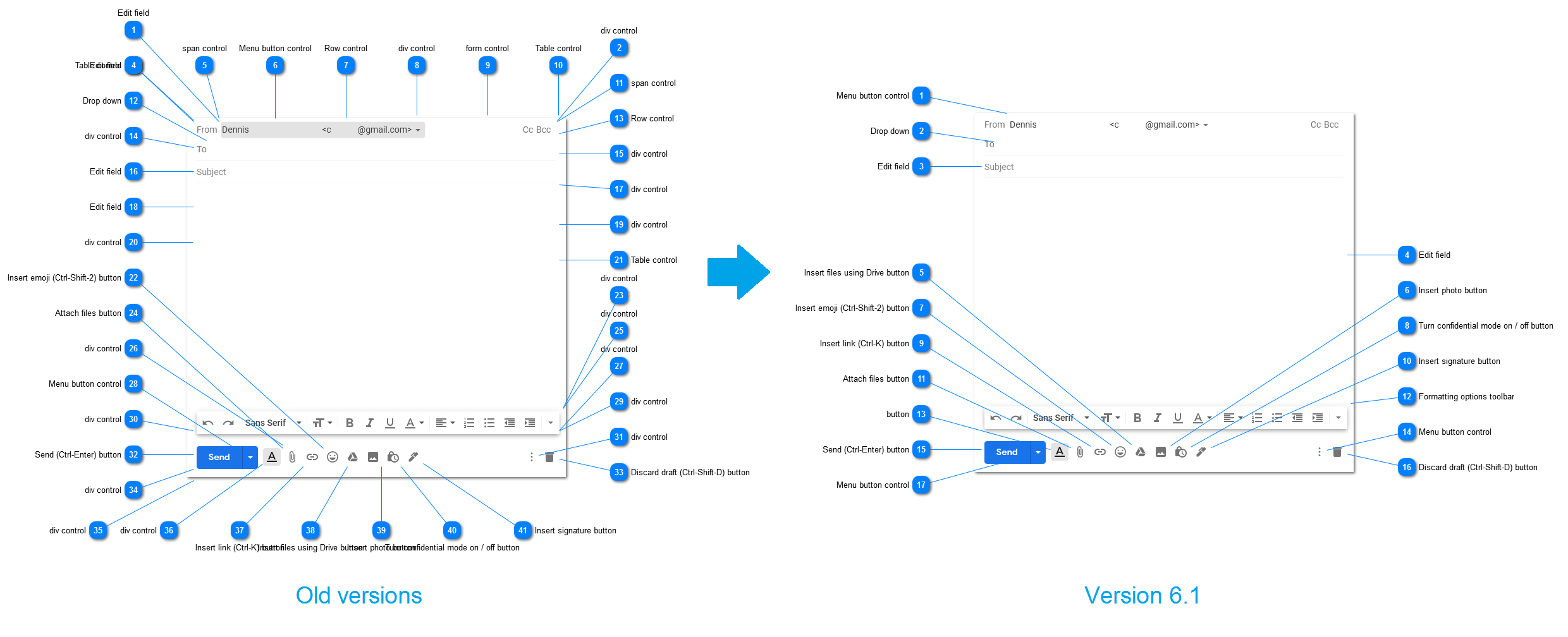
- The ability to annotate web pages captured not only from Firefox or IE, but also from Chrome browser automatically was added.
- Window capturing process became more convenient and more visual.
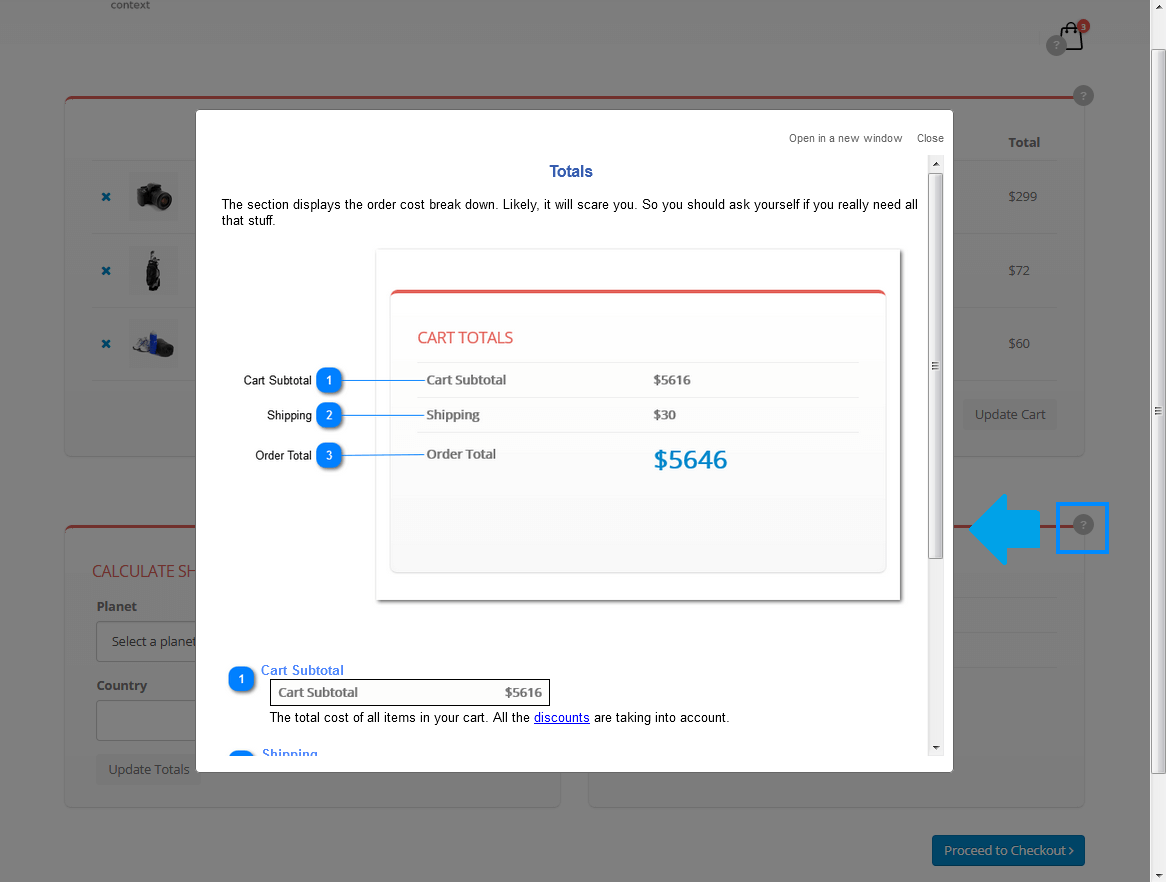
- The new way to create context sensitive help for web pages and web application will take your app user experience to the next level.
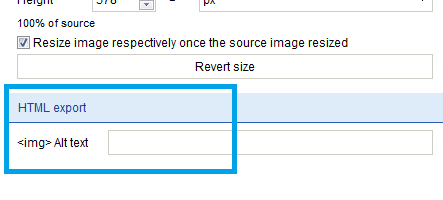
- The ability to set Alt attribute for images will boost the SEO factors of online manuals.
- Designer window can be detached from the editor and moved as a separate window to another monitor.
- Ability to add new topics with Enter/Insert keys.
- Enhanced text styles of print versions of web pages provide better layout and readability.
- Improved export of nested tables in RTF format assures more predictable and more accurate output.
- The content editor visual style was improved for more convenient work and better performance.
- A dozen of performance improvements and fixes were made
Dr.Explain 6.0 (Spring, 2020) : Check the info about v.5 to v.6 migration
-
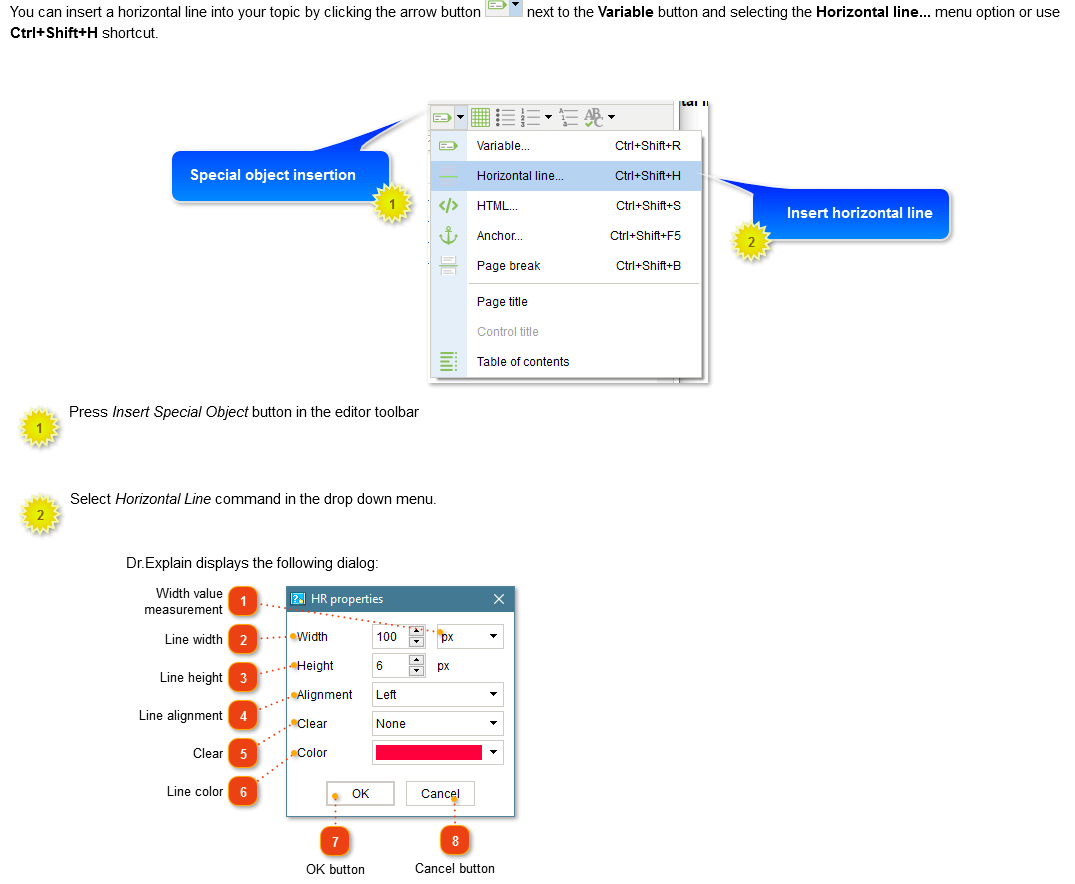
The ability to insert several annotated screenshots in a single topic.
-
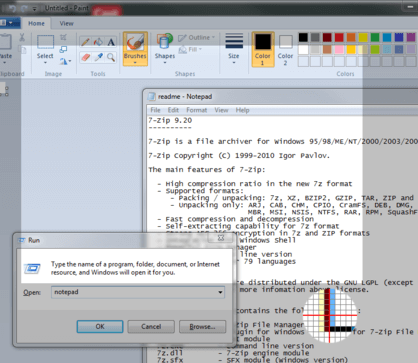
The ability to capture screen regions.
-
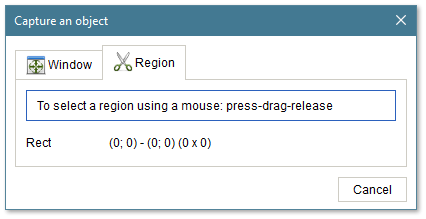
New simplified screenshot capturing tool.
-
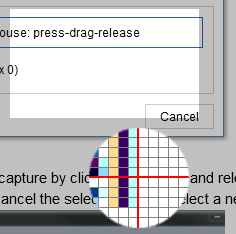
Magnifier in the screenshot capturing tool.
-
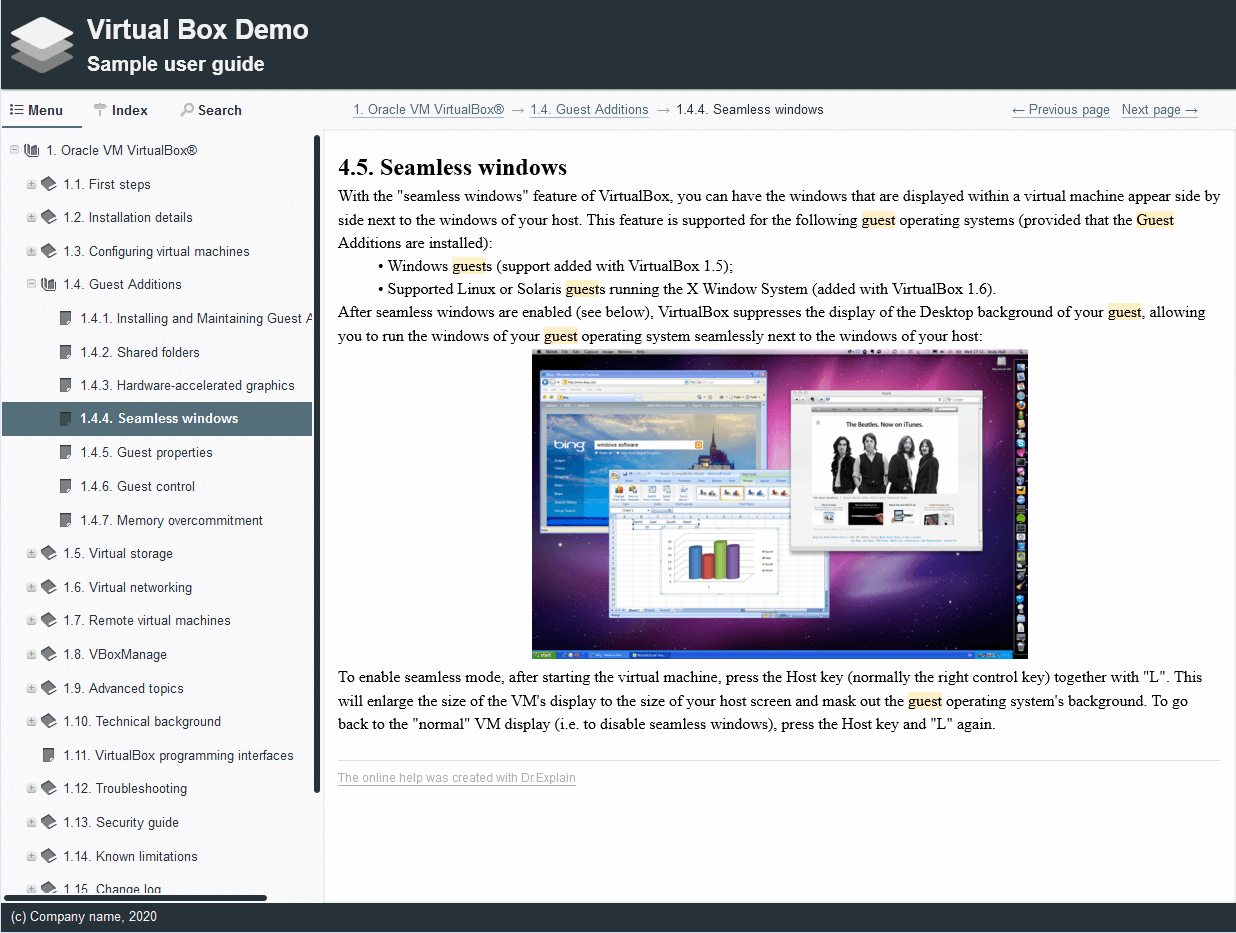
New material design templates for online help.
-
More effective content editor.
-
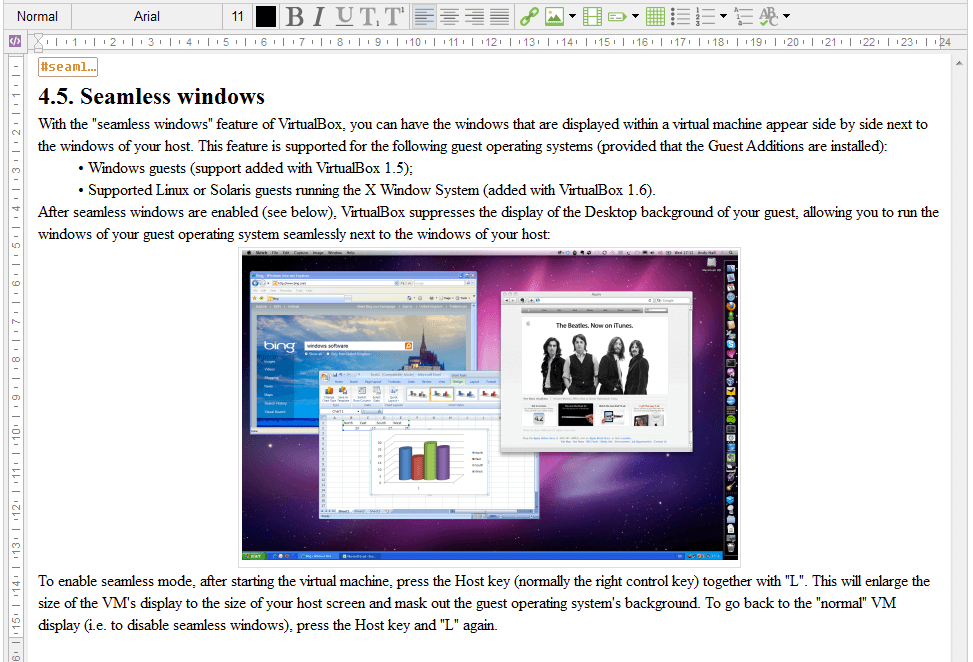
Revamped Hi-DPI user interface with scalable vector graphics.

- Many fixes and improvements.
Dr.Explain 5.7 (Winter, 2019) : The upgrade is free for all 5.x users :
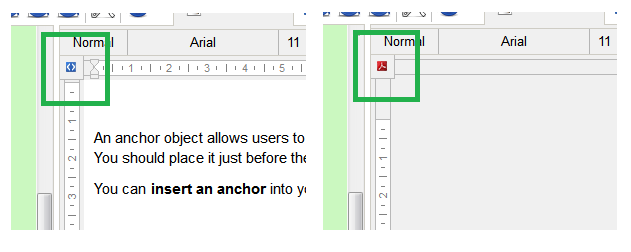
- Fast switch between Web and Print mode
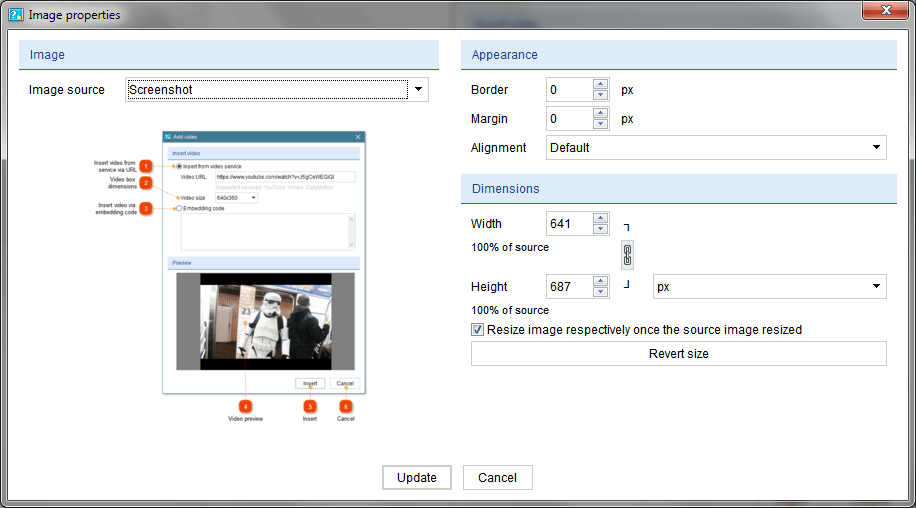
- Revamped dialogs in the text editor and project settings
- Faster synchronization process in Collaboration mode
- Faster page load of the produced CHM files
- Validation of anchor relations
- Better export of lists in RTF
- More accurate import of MS Word files
- More efficient validation tool
- Updated and more complete documentation
- Several nasty bugs were fixed
- A dozen of performance improvements and fixes were made
Dr.Explain 5.6 (Spring, 2018) : The upgrade is free for all 5.x users :
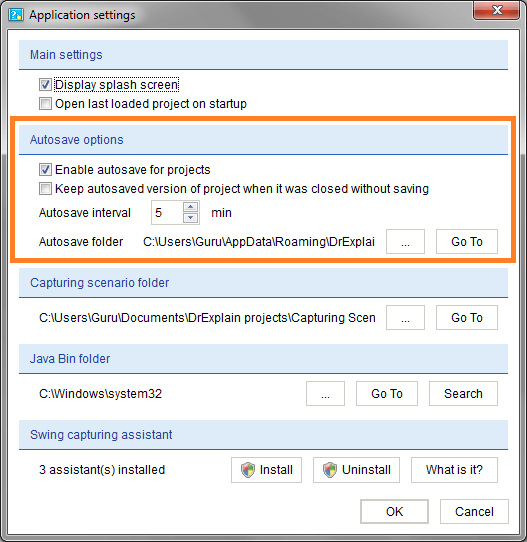
- Project autosaving
Your work won't be lost even in case of the system failure.
- Better anchors support
Insert HTML anchor tags easily.
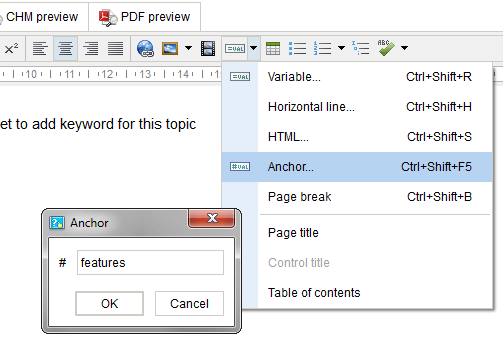
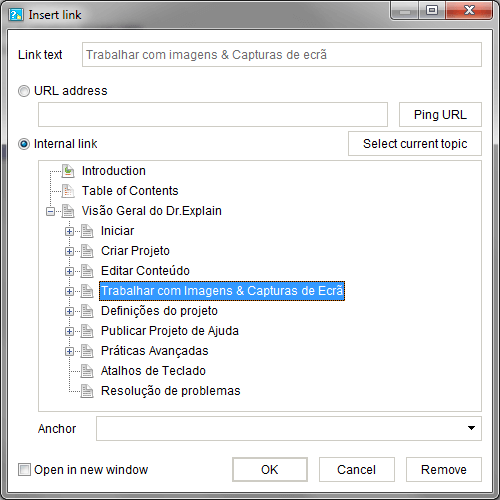
- New revamped dialogs in the text editor
New clear and attractive user interface for text editor operations.
- A dozen of performance improvements and fixes were made.
Dr.Explain 5.5 (Summer, 2017) : The upgrade is free for all 5.x users :
- 64 Bit architecture
Starting from version 5.5, Dr.Explain will run on 64 bit Windows OS exclusively so as to support bigger projects as well as to be more performant
- Hi-DPI monitors support
Dr.Explain now also supports high resolution (Hi-DPI) screens, such as 4K monitors, taking full advantage of fine pixeling for the clearest user interface and better user experience.
- New revamped user interface
The new clear and attractive interface will help you to work more efficiently and with greater comfort.
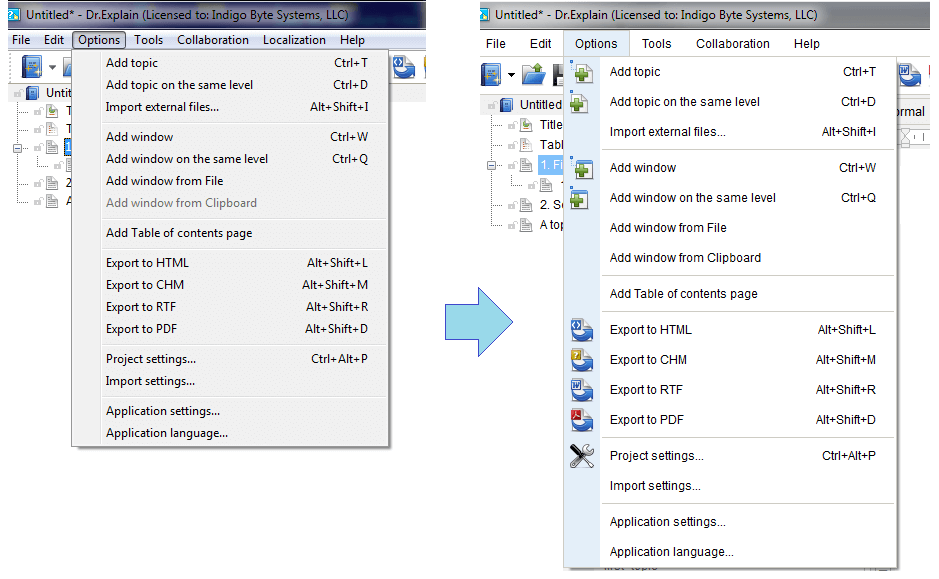
- The Import function got more flexible and robust
- The Export functions were optimized
- Many issues were fixed and numerous improvements were made
Dr.Explain 5.4 (Fall, 2016) : The upgrade is free for all 5.x users :
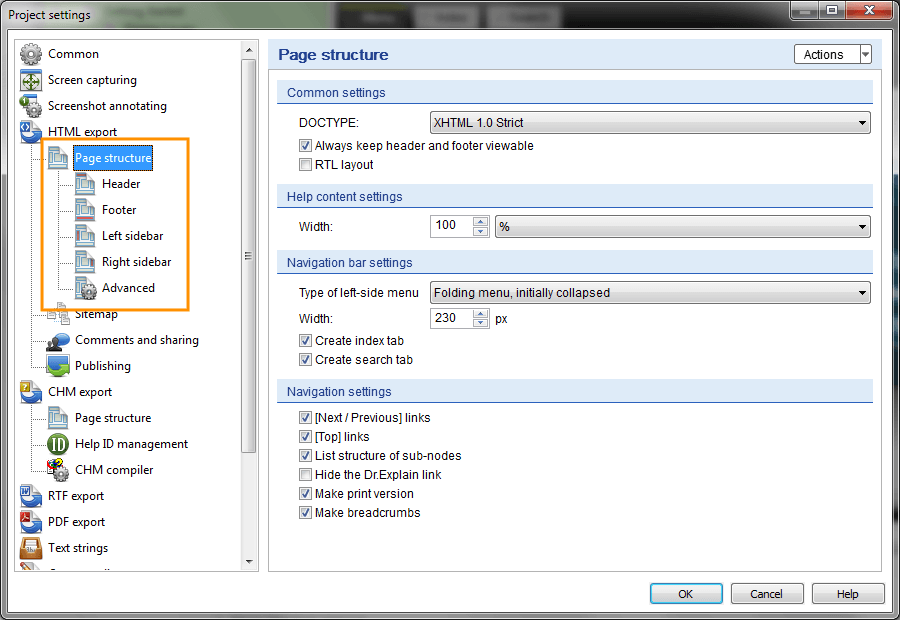
- Simpler page design and layout customization
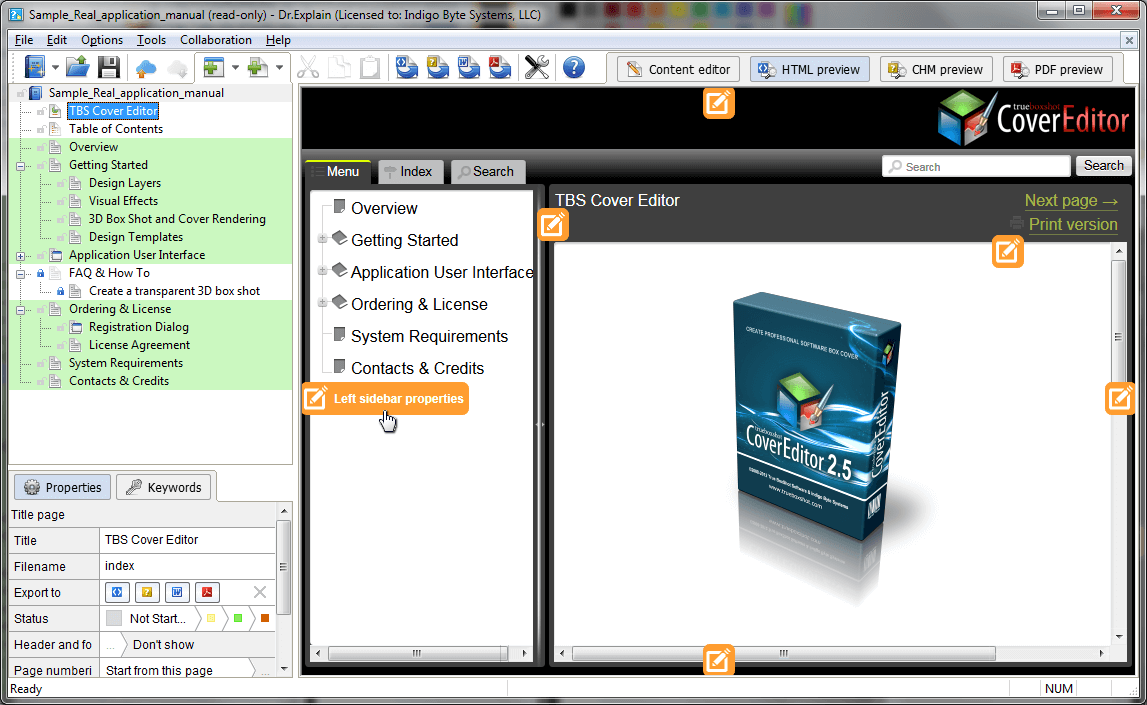
- Screenshot capture and analyzing tool was improved
- Many minor issues were fixed and numerous improvements were made
Dr.Explain 5.3 (Winter, 2016) : The upgrade is free for all 5.x users :
- New startup screen

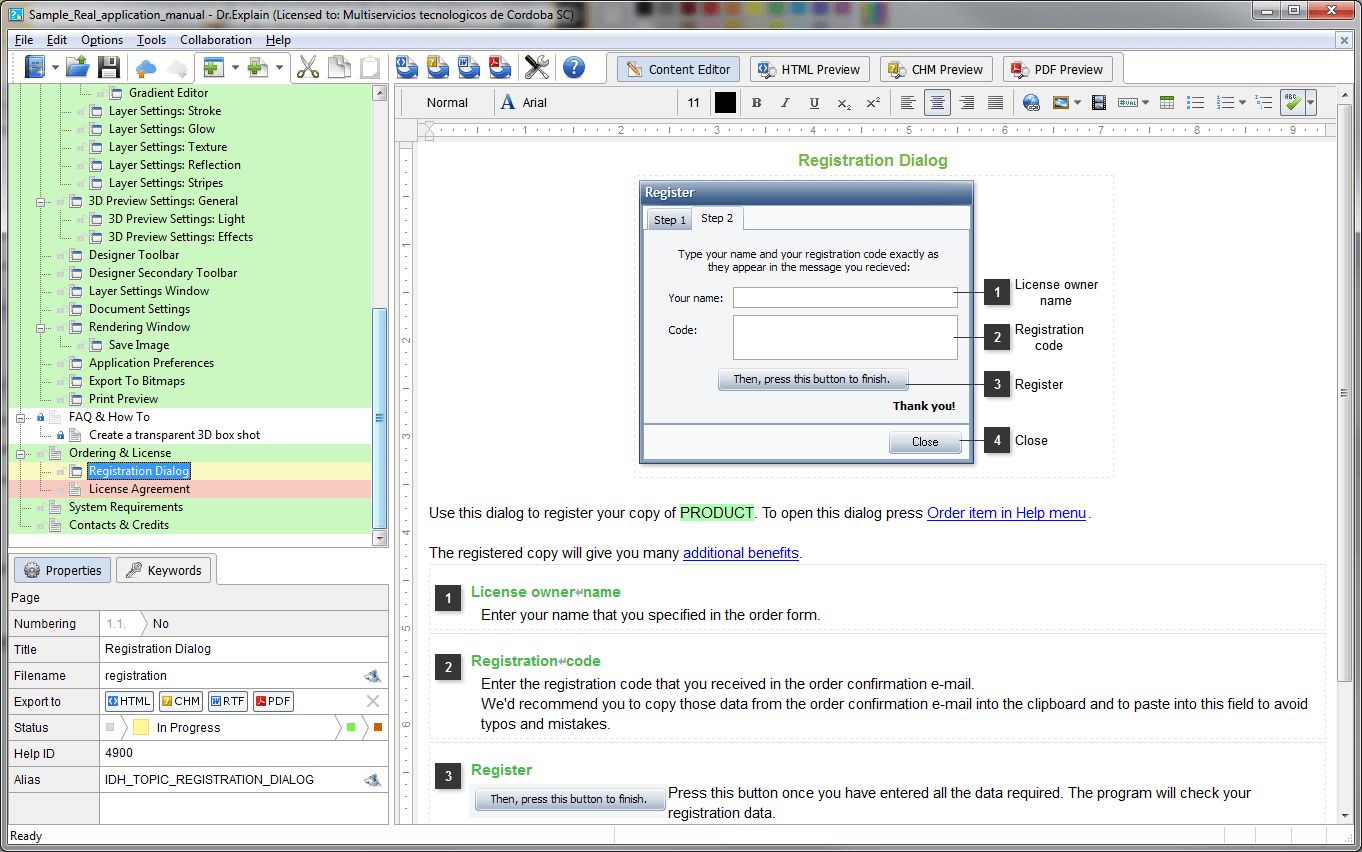
- New single-document interface (SDI) model
- Improved import functions
- Many minor issues were fixed and numerous improvements were made
Dr.Explain 5.2 (Summer, 2015) : The upgrade is free for all 5.x users :
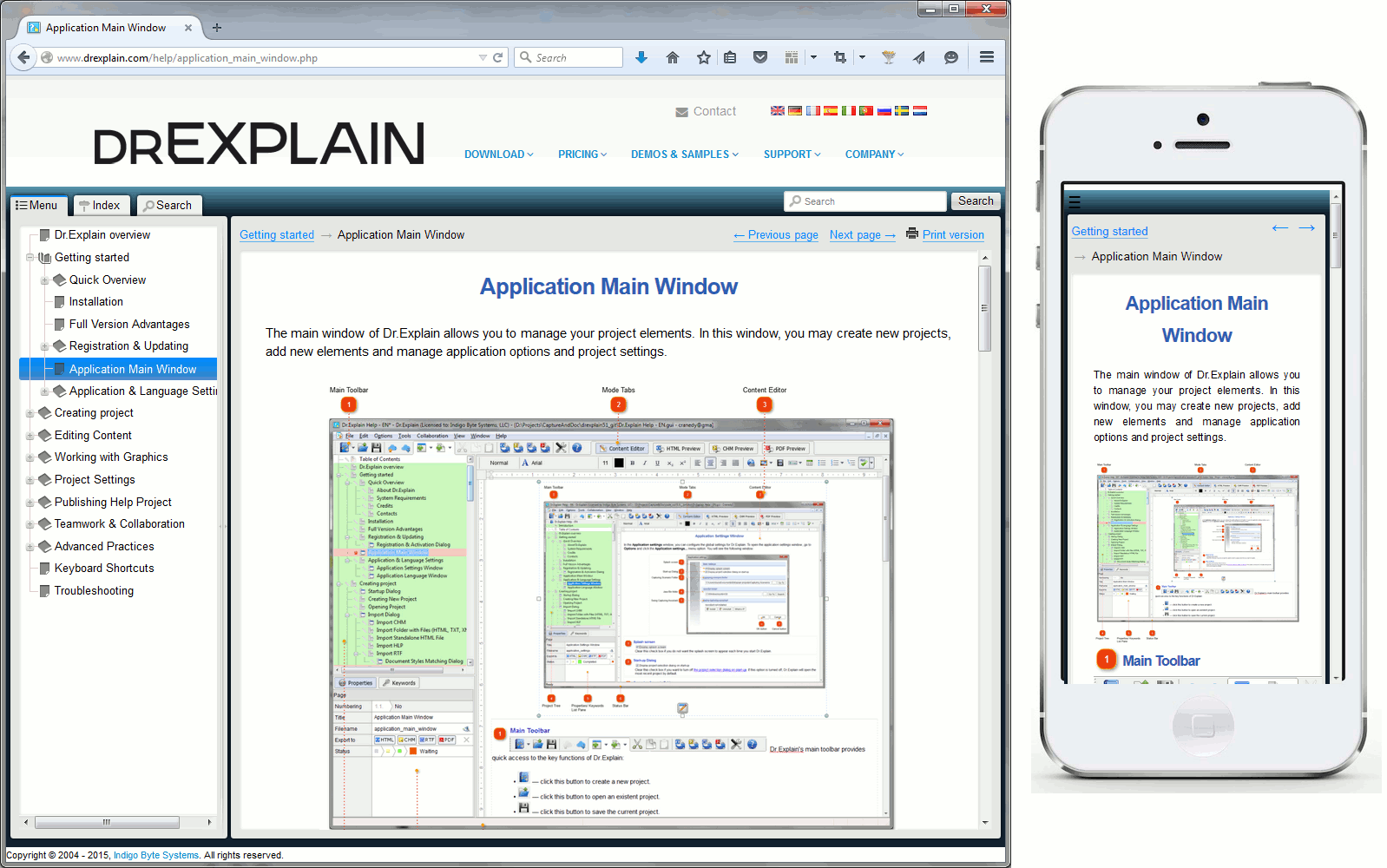
- Responsive layout of online manuals for better accessibility on mobile devices
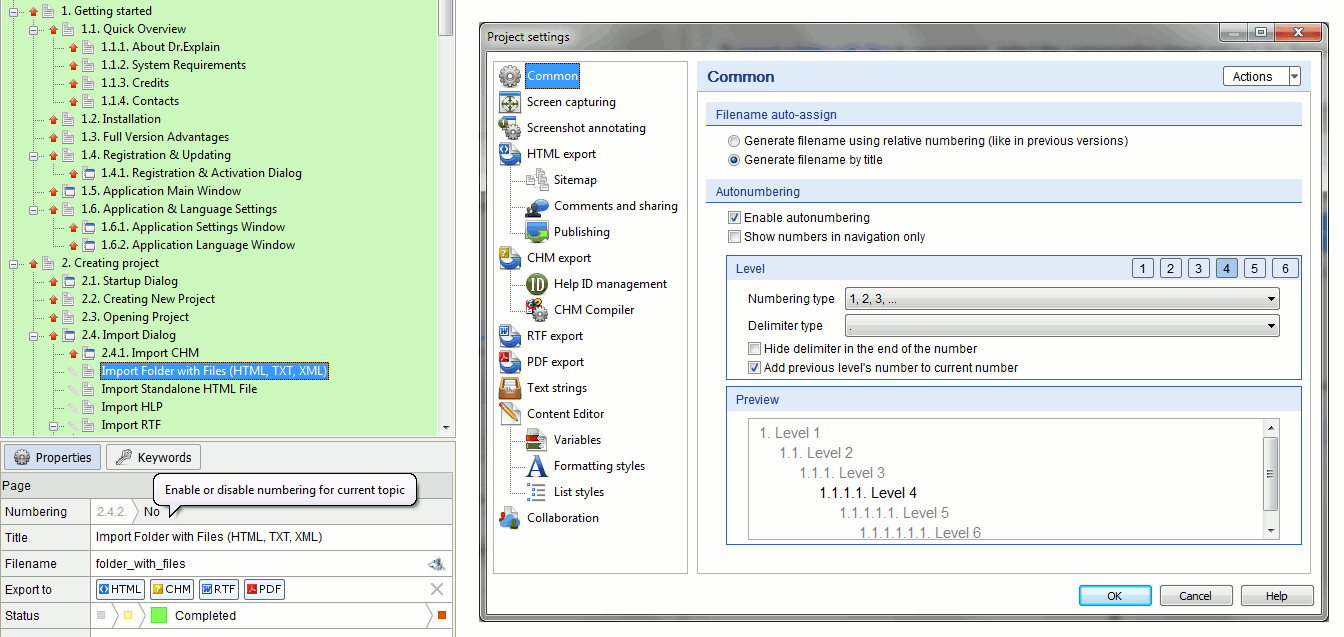
- Automatic numeration of the documentation topics
- Verified Windows 10 compatibility
- Ability to import very large MS Word files
- Better RTL (Right-To-Left writing) support
- More customizable multi-level lists
- Many issues were fixed and numerous improvements were made
Dr.Explain 5.1 (Spring, 2015) : The upgrade is free for all 5.x users :
- Ability to insert annotated screenshot in any existing topic
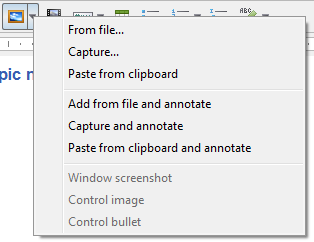
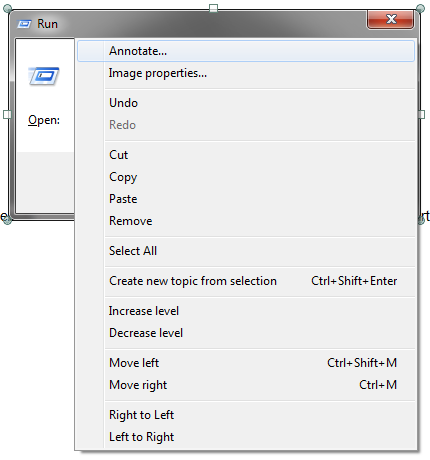
- Ability to convert any plain image into annotated screenshot
- Ability to set line and paragraph indents and table dimensions with editor ruler

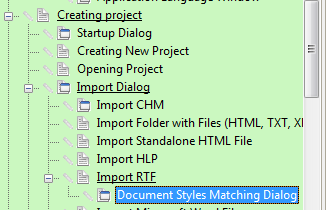
- Indicating a topic’s parents in project tree
- Many issues were fixed and numerous improvements were made
Dr.Explain 5.0 (Autumn 2014) :
-
Teamwork and collaboration
The Collaboration module allows multiple Dr.Explain users to work together on the same projects via tiwri.com platform. The Collaboration feature might be useful not only to team of several writers but to single writers as well.


As soon as you've created an account at tiwri.com, you're able to create shared projects either via Tiwri web interface or right in the Dr.Explain application. Then you can share the project with other users who also have accounts on Tiwri. You can create either a blank project or upload an existing Dr.Explain project to Tiwri and make it shared. -
Colored export logs
Spot alerts and error messages easier. -
Improved and re-styled user interface
Dozens of improvements and tweaks. -
New start up dialog
All your projects are ready at hand. -
New hot keys
Work faster! - Several dozens of requested improvements and fixes will make your work with the Dr.Explain 5 much more intuitive, faster, and easier.
Dr.Explain 4.11 (Winter, 2014) : The upgrade is free for all 4.x users :
- Multilevel lists
Use predefined style of multilevel lists and create your own list styles.


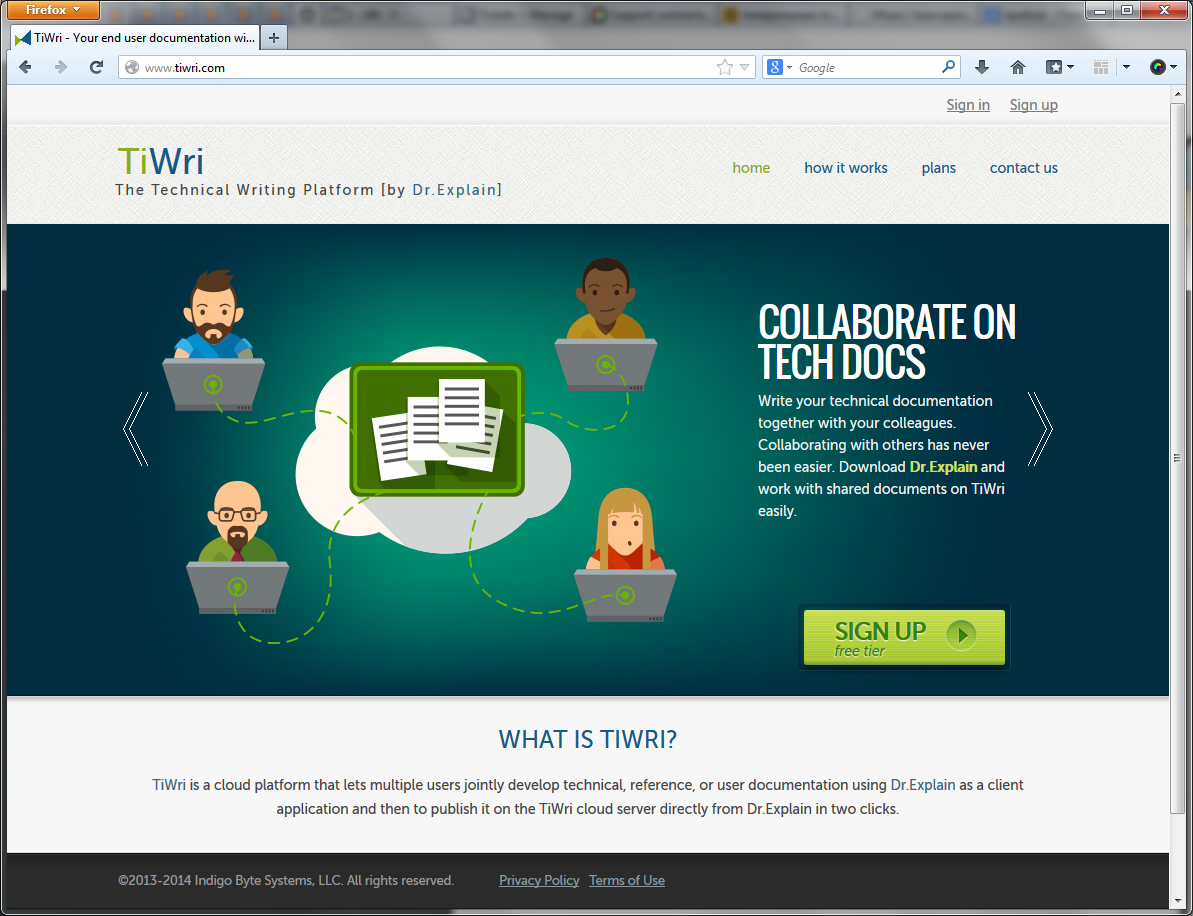
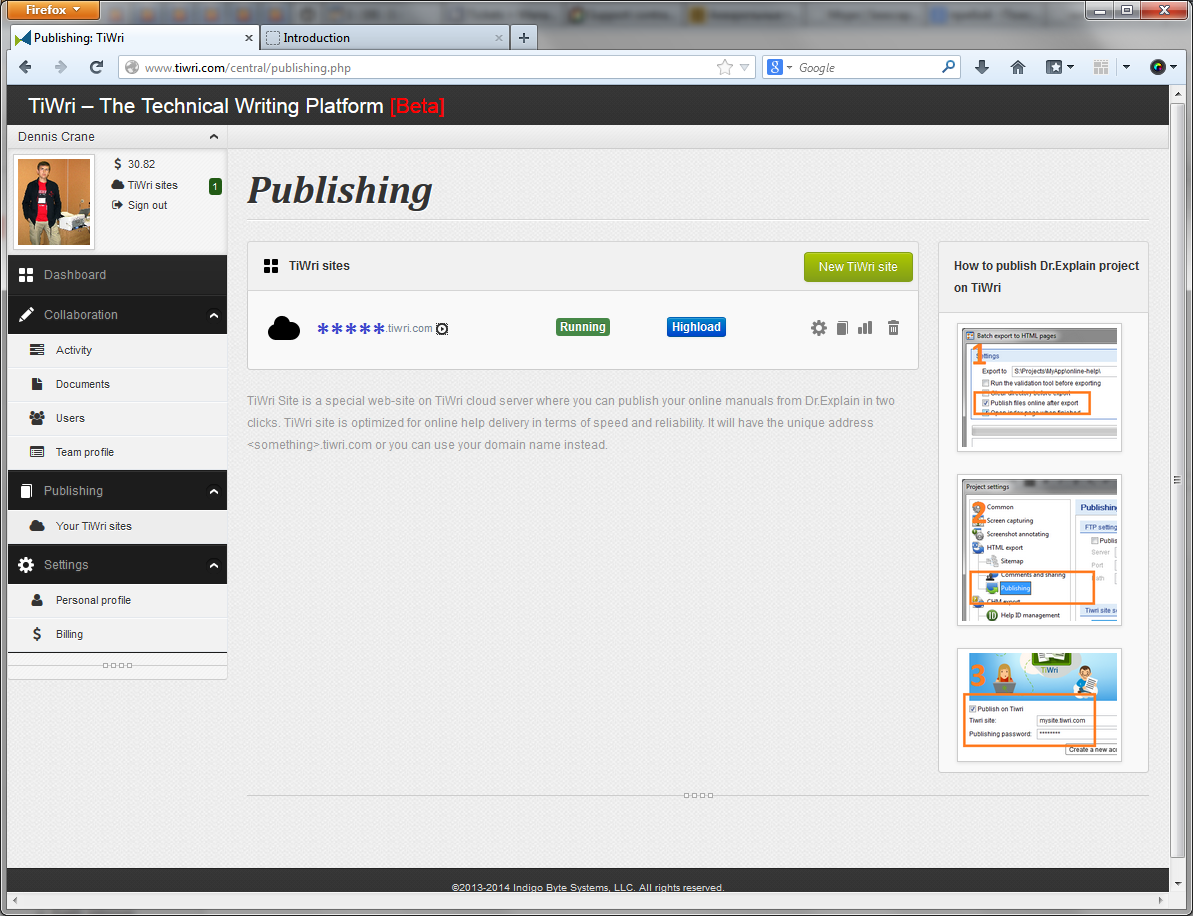
- Instant publishing of online manuals on Tiwri - The technical writing platform
TiWri is a cloud platform that lets multiple users jointly develop technical, reference, or user documentation using Dr.Explain as a client application and then to publish it on the TiWri cloud server directly from Dr.Explain in two clicks.
If you find issues in Tiwri service, please contact us.
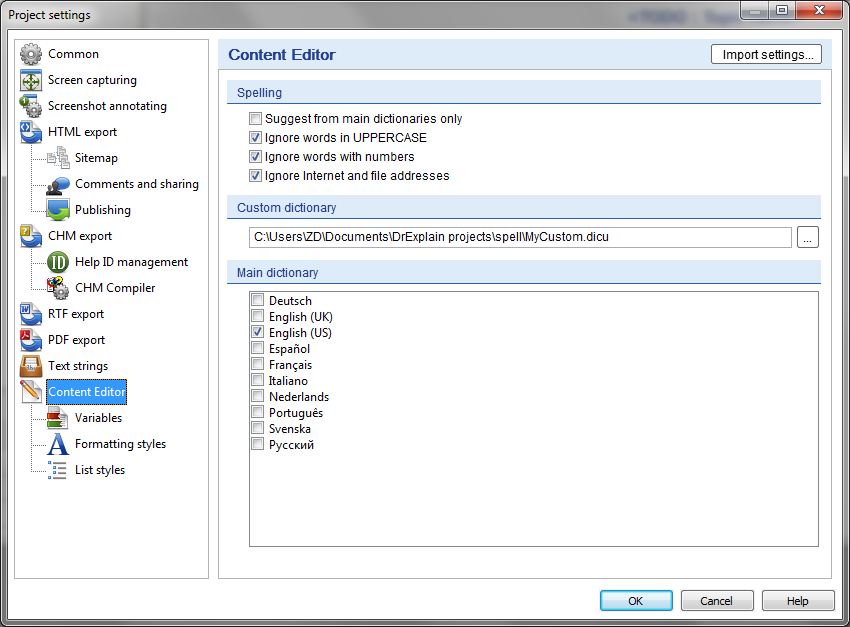
- Spell checking settings are now set per project, not globally
- Several issues in PDF export were fixed
- Several issues in text editor were fixed
Dr.Explain 4.10 (Autumn, 2013) : The upgrade is free for all 4.x users :
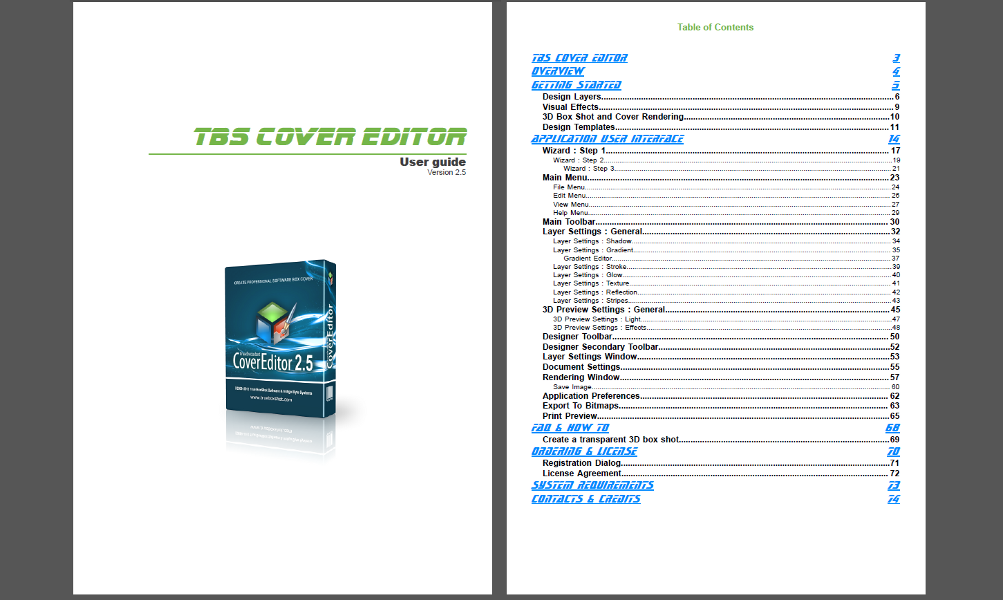
- Customizable Table of Content & Title pages
Create custom title page and Table of Contents page for your project.
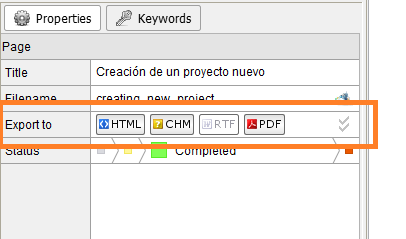
- Output settings for each topic
Define for each topic in which formats it must be exported.
- Help ID dialogs were removed
- Several issues in PDF export were fixed
- Several issues in text editor were fixed
- Several issues in command line mode were fixed
- Dozens of fixes and improvements in functionality, performance and user interface.
Dr.Explain 4.9 (Spring, 2013) : The upgrade is free for all 4.x users :
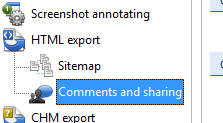
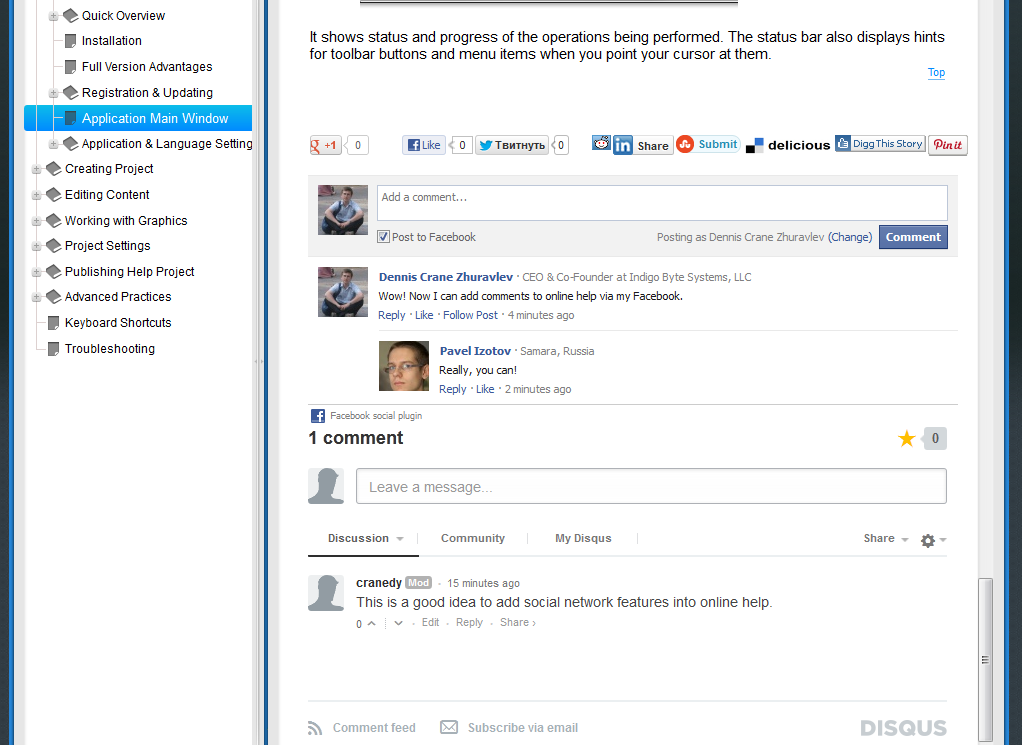
- Comments and social network integration
Enable comments and user generated content in your online manuals to improve user experience.
Add social network buttons "Like-Tweet-Pin-Share-... etc" to your help pages. Allow your customers to spread words about your solutions.
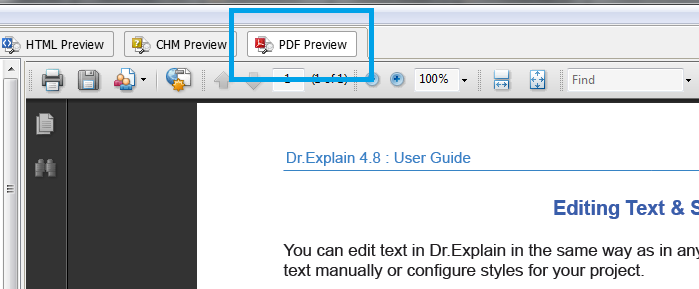
- Instant PDF Preview
Instanly preview your help topics in PDF format! Fantastic? Yes!
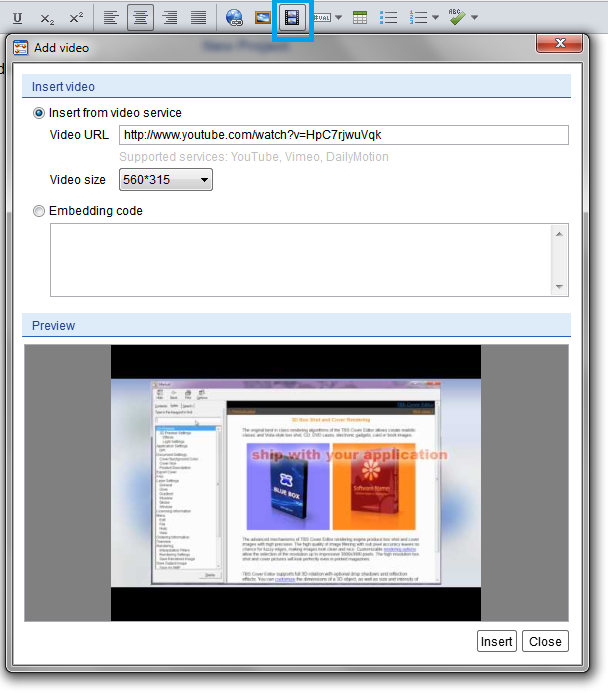
- Add video
Insert video into your help files and online manuals.
- User interface improvements
Several UI improvements will make your work more efficient.
- Dozens of fixes and improvements in functionality, performance and user interface.
Dr.Explain 4.8 (Autumn, 2012) : The upgrade is free for all 4.x users :
- New modern design of online manuals (see Project Settings\HTML Export)
- Breadcrumbs navigation in online manuals
- Updated localization files
- Better spell checking
- Dozens of fixes and improvements in functionality, performance and user interface.
Dr.Explain 4.7 (Summer, 2012) : The upgrade is free for all 4.x users :
- A new toolbar in the editor
Access to key editing features is now faster and more convenient. - Improved import from third-party formats
Enhanced import algorithms are capable of processing documents with complex and even incorrect formatting. - Improved performance and lower resource consumption
Optimized algorithms make it possible to work with large projects without significant consumption of CPU and memory resources. - A new help file and online documentation
The fully rewritten program documentation makes it easy to learn basic product features, as well as specific techniques and methods of work. - Dozens of fixes and improvements in functionality, performance and user interface.
Dr.Explain 4.5 (Autumn, 2011) : The upgrade is free for all 4.x users : Users of version 3, please click here
- Annotation Template and Callout Editor
Create callouts of any design, complexity & style. - New spell checker
Full Unicode support, extended dictionaries, and simplified settings. - Improved RTF\DOC import
More flexible handling of styles & formats upon import. - Improved HTML import
More careful handling of complicated HTML markup. - Simplified settings of export functions
Create CHM, PDF, RTF, or HTML in two clicks without worrying about basic settings. - More obvious CHM compiler settings
Customize CHM compilation settings and CHM viewer window position and size. - Better performance of JavaScripts and optimized CSS and HTML markup in on-line manuals
Your on-line manuals will load up to 4 time faster. - Auto-update function
Never miss the latest release of Dr.Explain - Over 150 improvements, fixes, and optimizations were made
Dr.Explain 4.1 (Sep-Oct 2010) : The upgrade is free for all 4.x users : Users of version 3, please click here
Press release
1. User interface is now available in 9 languages: English, German, Spanish, Portuguese, Russian, French, Dutch, Swedish, & Italian
2. User interface was modified and is capable for localization into any language, i.e. more languages are coming
3. Import of CHM file
4. Import of HLP file (since build #447)
5. Import of RTF file (since build #449)
6. Import of a single HTML file
7. Batch import of recursive folders with numerous HTML files
8. Optimized graphical algorithms (scaling & resizing) now produce PNG image files of smaller size without quality loss. It may decrease final help file overall size by 1.5 or even 2 times!
9. All images have solid white background by default (previously it was transparent)
10. New "Cell properties" dialog allows to flexibly customize cell borders
11. PDF Export performance was improved
12. {Page break} special object was added
13. Arabic font issues in PDF were fixed
14. Issues with bullet list appearance in HTML were fixed
15. All color pickers support single-click selection
16. Cell vertical alignment property is accessible through editor pop-up menu
... dozens of minor improvements were made
Dr.Explain 4.0 (09 Mar 2010) : The upgrade is free for orders of 2009/2010
Improved user interface
A wider work area, modern icons and compact toolbars will make your work easy and pleasant.
A single page for entire topic's content
No more separate edit boxes for every control. Entire topic content is now presented on a single page and is ready for immediate editing and rearranging. This is a true WYSIWYG in action.
Easily modifiable page layout
No more firm page structure. You may freely rearrange objects and layout page content in the editor.
On-demand screenshot annotating mode
Screenshot annotating mode is activated by double click on the screenshot image and grabs the workspace area only when it's actually required. The floating panels will help you organize your workspace layout as you need.
Search and Index functionality in HTML (On-line) Manuals
Now, your users will be able to search through your on-line manual. This functionality doesn't require scripting capabilities on your server and may be used even on web sites with simple or free hosting.
PDF export
A highly demanded function has been finally implemented. Now you are able to create true PDF files with national characters support, images, links, bookmarks, and table of contents.
Text formatting styles
Adjust formatting options of headings, sub-headigs and normal text. Create your own custom styles and quickly apply them to your document parts.
Updated color themes
The attractive color themes will make your documentation to look really professional.
Extended settings for images
Image setting has been enriched with border, margin, scale, and dependency options.
HTML code snippets
You can enrich your documentation with ability to insert raw HTML code snippets into your pages.
Lots of tiny improvements and tweaks
Several dozens of requested improvements will make your work with the Dr.Explain 4.0 much more intuitive, faster, and easier.
Dr.Explain 3.1 (12 Aug 2008) : Free upgrade :
1. Capturing and auto-documenting of Java (Swing) applications
2. Improvements in menu screenshot capturing
3. Anti-aliased graphics (bullets and lines)
4. More visual effects (e.g. real customizable shadows)
5. Naming rules for controls
6. Insert image in description through capturing
7. Screenshot manipulation menu
8. Better performance on large projects
+ a LOT of improvements and fixes
Dr.Explain 3.0 (26 Mar 2008) : Free upgrade :
New text editor
1. Insert images
2. Customize fonts
3. Insert tables
4. Insert lists
5. Insert predefined variables\macros
New capturing engine
6. Capturing web pages and web interfaces
7. Capturing Flash
8. Capturing various accessible items
9. Capturing particular buttons in toolbars
10. Capturing undocked windows and toolbars
11. Virtual cursor (press and hold right Ctrl)
12. Sub-windows auto-capturing
More features
13. Topic statuses
14. Lock \ Unlock topic
15. Google Sitemap generator
16. Export speed up (Unchanged files won't be rebuild during export)
17. .bak files creation
... a LOT of improvements and fixes .
Dr.Explain 2.6 (11 Jul 2007) : Free upgrade :
1. Better recognition of Delphi and other programming languages controls
2. The splitter between designer and properties was added
3. The Filter button in the keyword list was added
4. The single topic content max allowed size was extended to about 1Mb
5. When the Find dialog opens focus is in the Find what text box
6. The control bullet tooltips display control names, not only numbers
7. The full text search stop list file text box is not read-only now
8. The path to the full text search stop list file may be relative to the path of the HHP, not absolute
9. In Project properties, HTML settings preceed CHM settings like the HTML preview tab preceds the CHM preview tab
10. F2 - item rename in the keyword list
11. "Help ID removal" dialog was renamed to "Remove Help ID" according to the menu option entry
12. Keywords for inactive pages won't go to final CHM file anymore
13. Alt+Ins hotkey adds child keyword to a selected keyword
14. Tooltip for Print Preview tool button
15. In the HHP, the full text search stop list file at the bottom of the [FILES] section it's preceded with a CRLF now
16. In the HTML generated for CHMs, in the MAP tag area a missed space between the al and the href attributes was added
17. The bug in custom color themes management was fixed
18. Keyword operation hotkeys were mentioned in the tooltips
19. Control operation hotkeys were mentioned in the tooltips
20. Remove Help ID dialog remembers its location
21. Tooltips for Screenshot Editor toolbuttons were added
22. Keyword structure compilation was fixed
23. A Java Script bug in dynamic menu was fixed
24. Several typos in GUI were fixed
25. ... and a dozen of minor improvements
Dr.Explain 2.5 (01 Mar 2007) : Free upgrade :
New advanced features
1. Sub menus (standard Win32) autocapturing
2. Project validation tool
3. Project compacting tool
4. Print versions of pages for on-line help
5. Mouse-over pop-up windows (Java Script) to show the descriptions associated with controls. (See the sample in Dr.Explain online help)
6. Command line generation of HTML, CHM, RTF. (See ...\DE\tools\deexport.exe)
New regular features
7. New way of screen capturing
8. Menu capturing
9. Context Help ID management
10. CHM and HTML settings were separated
11. JavaScript menu with collapsing\expanding
12. Control rectangles inplace editing
13. Grid color settings
14. Grid step settings
15. Absolute path to image folder is allowed
16. Progress bar for file saving
17. Copying associated keywords along with topics
18. Bullet lines can be dragged along with control rectangle (hold Alt)
19. Link property: open in a new browser window
20. CHM index file's title is customizable
21. Screenshot image insertion from clipboard
22. The control scale is visible in control rectangle setup dialog
23. Control clips margin setup
24. Next\Prev links are in the bottom of the pages as well
25. Zoom In\Out in Control Rectangle dialog
26. Scale shown on the control preview
27. Links to controls
28. Custom colors saving
29. / in paths is allowed
30. F2 - Item rename
31. Control rectangle color settings
32. Compatibility with Internet Explorer 7
33. Navigation through hyperlinks in preview mode
34. Duplicated topics in-place checking was implemented
35. Search in project was improved
36. Two output standards are available: HTML 4.01 Transitional & XHTML 1.0 Transitional
37. CHM output: the HHK, HHP and HHC files are named the same as the CHM
38. aspx was added to predefined list of exportable HTML extensions
39. Print button is always active in preview mode
40. Microsoft Windows Vista support
... and dozens of minor improvements ...
Dr.Explain 2.0 (01 Aug 2006) : Free upgrade :
Cool dozen
1. Multi-tier document structure
2. Hyperlinks in descriptions / Crosslinking
3. Spell checking
4. Custom name for page files
5. Custom names for picture files (depending on file name)
6. New visual themes
7. Custom CSS setup
8. Intellectual orientation of bullets
9. Standard Windows toolbars parsing
10. Indexes keywords in CHM
11. Search for text in nodes and descriptions (Find\Find Next)
12. Help file in CHM format made with Dr.Explain itself
Controls handling
13. Ability to replace control images with custom pictures
14. Ability to turn off control images
15. Ability to set scale for control images
16. Multiple selections of controls in the list
17. No message boxes for deleting controls
18. Anchor names can be assigned to controls
19. Control description alignment
20. Ability to not resize control images along with whole screenshot
21. Rectangle mark is initially selected when open Control rectangle dialog
22. Explicitly resizing control rectangle
23. Control copy\paste to clipboard
HTML export
24. Ability to turn off "Top" link
25. Back & Next hyperlinks to the previous and next pages in the content
26. Custom text for "Top" link
27. "Top" link jumps to the image, not to the page's top
28. Custom text for "Back & Next" links
29. Custom color themes setup
30. Ability to generate image files in a custom subfolder
31. Ability to make the control areas clickable in HTML instead of the bullets
32. Quick access to HTML template editing, right form HTML preview.
33. Duplicated topic names checking
Screenshot handling
34. Top screenshot alignment (left, right, center)
35. An option to have the control caption above/below/left/right/opposite of the buttons.
36. Explicitly resizing screenshot tool with Revert option
37. Ability to draw bullets without lines
Application settings
38. Main window and key dialog positions are stored across sessions
39. Splitters (work area) positions are stored across sessions
40. Ability to turn off splash screen
41. Ability to turn off startup dialog
42. All URLs are opened in a new browser window
43. F1 context help works in all dialogs of Dr.Explain
RTF Export
44. RTF default file name is the same as a project file name
45. Ability to switch off the "Title Page" in RTF export
46. Ability to switch off the "Content Page" and content macro in RTF export
47. RTF default font face and size setup
48. Ability to silently overwrite RTF files
49. Automated image scaling down to fit the specified page format width in RTF export
50. RTF export speed was increased
CHM Export
51. Warns if the CHM file is opened during the export process
52. Ability to silently overwrite CHM files
53. Keeping temporary files after CHM export is completed
54. Advanced MS HHW options for CHM creation
... and dozens of minor improvements ...
Dr.Explain 1.5.38 (15 Mar 2006) : Free upgade :
[+]: Hot keys for export operations.
*. Better compatibility with non-English versions of MS Windows®
Dr.Explain 1.5.30 (27 Nov 2005 ) : Free upgade :
*. The state of HTML, RTF and CHM export options ('Create Index Page' and 'Open document') are stored in the project file.
*.: HTML links for hidden elements are generated correctly.
*.: Bullets renumbering bug on deletion was fixed.
*. A couple of minor improvements was made.
Dr.Explain 1.5.28 (07 Nov 2005) : Free upgade :
[+]: Tips on startup.
*. Image editor scrolling with mouse wheel got more convenient.
*.: Bullet line positioning bug for scaled images was fixed.
Dr.Explain 1.5.18 - 1.5.25 (29 Oct 2005) : Free upgade :
[+]: Multi-byte languages support (testing mode).
[+]: Ability to turn-off the left menu.
[+]: Recognition of Clarion window types (window classes).
*. No redraw flickering.
*. Description typing got faster.
*.: Improved multiple spaces handling in RTF export routine.
*.: Several bugs were fixed.
Dr.Explain 1.5.17 (20 Sep 2005) : Free upgade :
[+]: Export into Rich Text Format (RTF).
[+]: Export into Microsoft HTML Help (CHM).
*. More convenient WYSIWYG editor.
*. Some minor improvements and fixes were made.
Dr.Explain 1.4.16 (18 Jul 2005) : Free upgade :
[+]: Screenshot in HTML is active. The bullets are clickable.
[+]: Each control description in HTML is followed by the [top] link.
[+]: Each control description in HTML contains a numbered anchor.
This is very useful for support purposes and for further document conversion into another format.
[+]: Multiline control titles are allowed. Use '~' character as a new line mark.
[+]: The start up dialog will help you reopen your recent projects with one click.
[+]: The ruler was added into the Control Image Area.
[+]: The grid is available in the Designer Area.
[+]: An ability to insert new windows from PNG, GIF, or JPG files, not only from BMP files.
[+]: An ability to replace an existing window's screenshot with a picture from PNG, GIF, or JPG file, not only from BMP file.
[+]: An ability to replace an existing window's screenshot with a newly captured window.
*. The reference titles are shown properly when a large font is set.
*. Some minor improvements and fixes were made.
Dr.Explain 1.3.14 (05 Jul 2005 ) : Free upgade :
[+]: Support of national characters in descriptions and titles.
[+]: Embedded text strings customization.
[+]: Ability to hide the 'Dr.Explain' link in the output documents.
*. The export path became the project's property rather than the application-wide variable.
*. Some minor improvements and fixes were made.