
Publishing HTML help
Documentation in HTML format can be viewed by the end-users in a web browser on any operating system. If you upload exported HTML files to your website, you can update them at any time, without having to ship an updated version of the documentation with a new version of your software.
HTML files generated by Dr.Explain can be viewed locally, without having to upload them to your website.
There are several ways to publish your help project to HTML:
-
click
 button in the application toolbar;
 -
go to the Export menu and click the Export to HTML menu option;
-
use the Alt+Shift+L keyboard shortcut.
The following dialog window will appear:
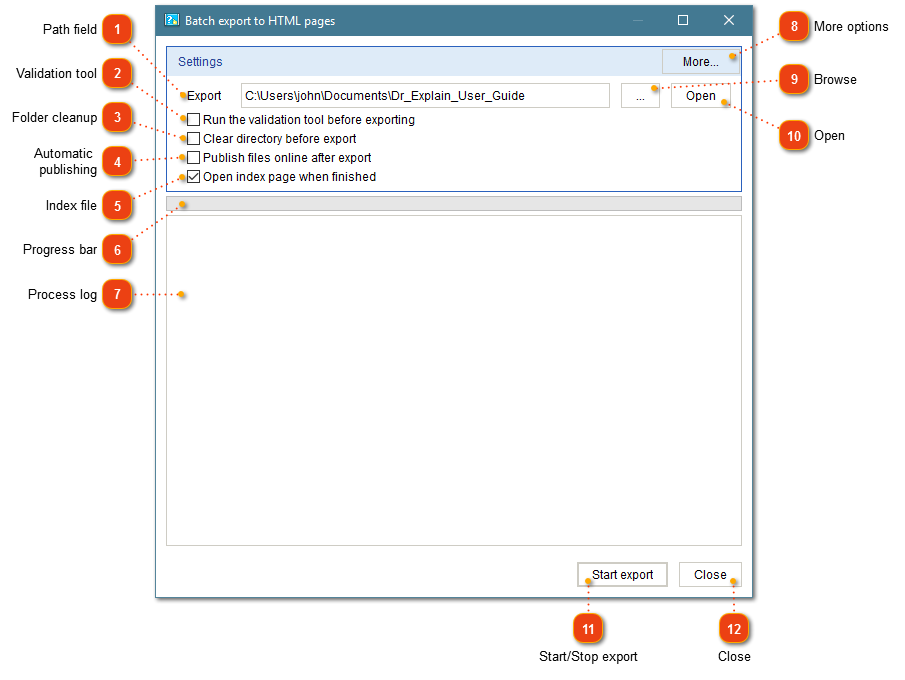


 button to open target folder in Windows Explorer.
 Validation tool Check this option to validate your project files before publishing them.
|


 Automatic publishing Check this option to upload output files onto your web server automatically via FTP or onto your Tiwri site.
|




 More settings Press this button to display the HTML export settings dialog where you can configure the settings related to HTML export.
|


After the publishing process finishes, the generated files will be available in the folder you specified in the path field. You can upload these files to your web server using a third-party software or ship them with your application.
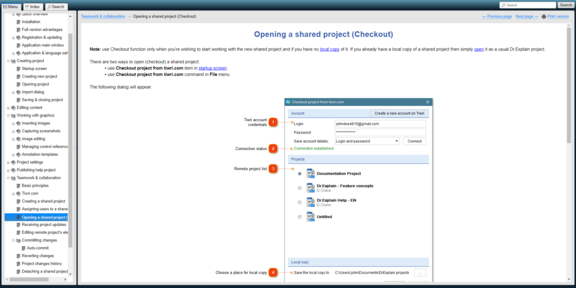
If you selected Open index page when finished, Dr.Explain will open the exported HTML files in default browser:

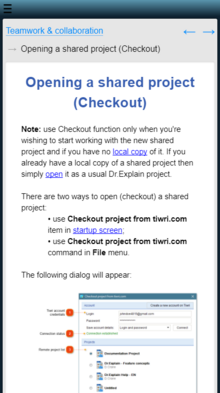
HTML layout is responsive, ensuring it displays perfectly on devices like smartphones and tablets:
