
 Looking for a tool to create CHM files without hassle?
 Dr.Explain is a all-in-one tool for creating CHM files (compiled HTML help) files for your Windows software applications.
How to create CHM help files to speed up the software development process?
Dr.Explain saves hours of time during the help documentation writing as a unique CHM file creator which it automates the most time consuming and tedious tasks.Single help file creator tool for all your user documetation and help files!
The shortest learning curve ever! Create your first CHM file in two minutes.
Easily create and update your CHM help topics in WYSIWYG editor.
Create CHM's table of contents, keyword indexes, menu and navigation links with just a couple of clicks.
Assign Help ID values to CHM topics to create context sensitive help for your application.
Update your old CHM files!
Easily import your old CHM files and continue to work with your existing help documentation.
Enrich your CHM file with new screenshots and cool illustrations. Use Dr.Explain as a CHM editor to update your help files and user documentation.
Easily change the appearance of CHM file's pages with by applying various preset templates.
Customize CHM pages' headers, footers, and layout.
Create Web-help, PDF, and DOC from the same project and in the same tool!
Make CHM help files from other formats!
Import existing HLP, TXT, XML, HTML, or MS Word documents formats and create a single CHM help file.
No third party converters are required.
Create a single table of contents and search index for all imported documentation automatically. Note, that you can also covert CHM into web help, or another documentation format.
Add your logos, scripts, media content, copyright notices, and corporate graphics to deliver professional help file to your clients.

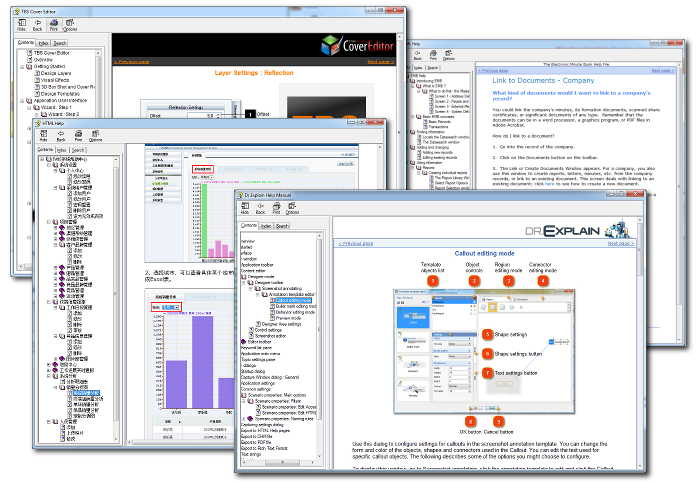
CHM help files created by Dr.Explain software
Uniquely Dr.Explain captures application screens or web pages and documents them automatically
Dr.Explain is based on a unique interface analysis and screen capture system. Thanks to this system, Dr.Explain can automatically analyze an application's user interface, take screenshots of all controls and elements, and then add explanatory callouts to all images in the draft help system.
After that, all one needs to do is add descriptions to the callouts, and save the result in the HTML (online manual), CHM (help file), RTF, or PDF format.