This post is written by our special guest, Nikolay Tyushkov.
Nikolay is an owner of Softvoile. The most known software titles by Softvoile are Flashpaste - an utility for managing and quick pasting text templates, and Clipdiary - a free utility for keeping the clipboard history.

As a veteran of ISV business, Nikolay has great practical experience he would like to share with colleagues. Today he unveils 7 steps to speed up software technical support tasks.

If you develop and sell your products then you are sure to have a lot of users, and … a huge number of questions to your technical support.

It’s an infinite chain of similar questions and standard answers - “Why didn’t I get my registration key?”, “How do I move my data to another computer?”, “What button should I press to get this thing I see in the picture?”, and many others repetitive inquiries.

Regardless you have FAQ section in your help file or on your website you have to answer the same questions every day. Unfortunately, it is impossible to get rid of boring mechanical work, but you can considerably speed it up. Similar questions mean standard answers. Let’s see what can be done about it.

  1. Start creating a database of your standard answers. It is the first thing you should do. For example, if you are telling a user how to register a program then enter the answer into the database at once. When you are writing an instruction on some feature in the program, add it to the database as well. Believe me you will have to answer the same things more than once.
  2. Write in the most general way. Write not as if you were answering a specific question from this particular user, but as if this answer satisfied everyone who would ask similar questions.
  3. Make the description as detailed as possible. If you want to tell a user how to select a checkbox in options, also write how to open the dialog with these options, how to find the necessary checkbox and what it will result in. It will reduce the number of clarification requests and will save you lots of time.
  4. If you have several products, try to avoid product names in common phrases. For instance, in a message about resending the registration key, write the answer template so that it can be used for any of your programs. Or you can better use a program that allows you to insert text macros.
  5. Organize your answer templates. Put the general phrases in one category, registration questions in another category, problem solutions in still another one …
  6. Store your answer templates in a special program developed for this purpose that can paste the template text into the any application practically easily.
  7. Use Hot Keys to quickly insert the template text in the answer. Using hot keys rather then clicking through many menus will bring your productivity to a new level. You will be able to easily reply to message with one hand. What can be easier?

All these important points can be easily achieved with a special tool for pasting text snippets, Flashpaste (www.flashpaste.com ).
Flashpaste offers the complete set of features you need to reply your support messages quickly: text categories, hot keys support, plain and formatted text with full Unicode support, macros for inserting timestamps, substitution macros, database sharing among several employees and a lot of other useful functions. Also, Flashpaste will be useful for everyone who works with texts a lot: software developers, web designers, technical writers and translators.

Thanks for sharing this list, Nikolay!

The software improvement advice, techniques and ideas that I post here are taken from our real practice. I try to keep this blog practical and hype free. This post is a rare case (the previous one was about 9 months ago) when I’d like to tell a little about our own products.
During the recent months we have been working actively to make new versions of our existing products and to develop a new product as well. Recently we have released two new products.

Dr.Explain 3.0

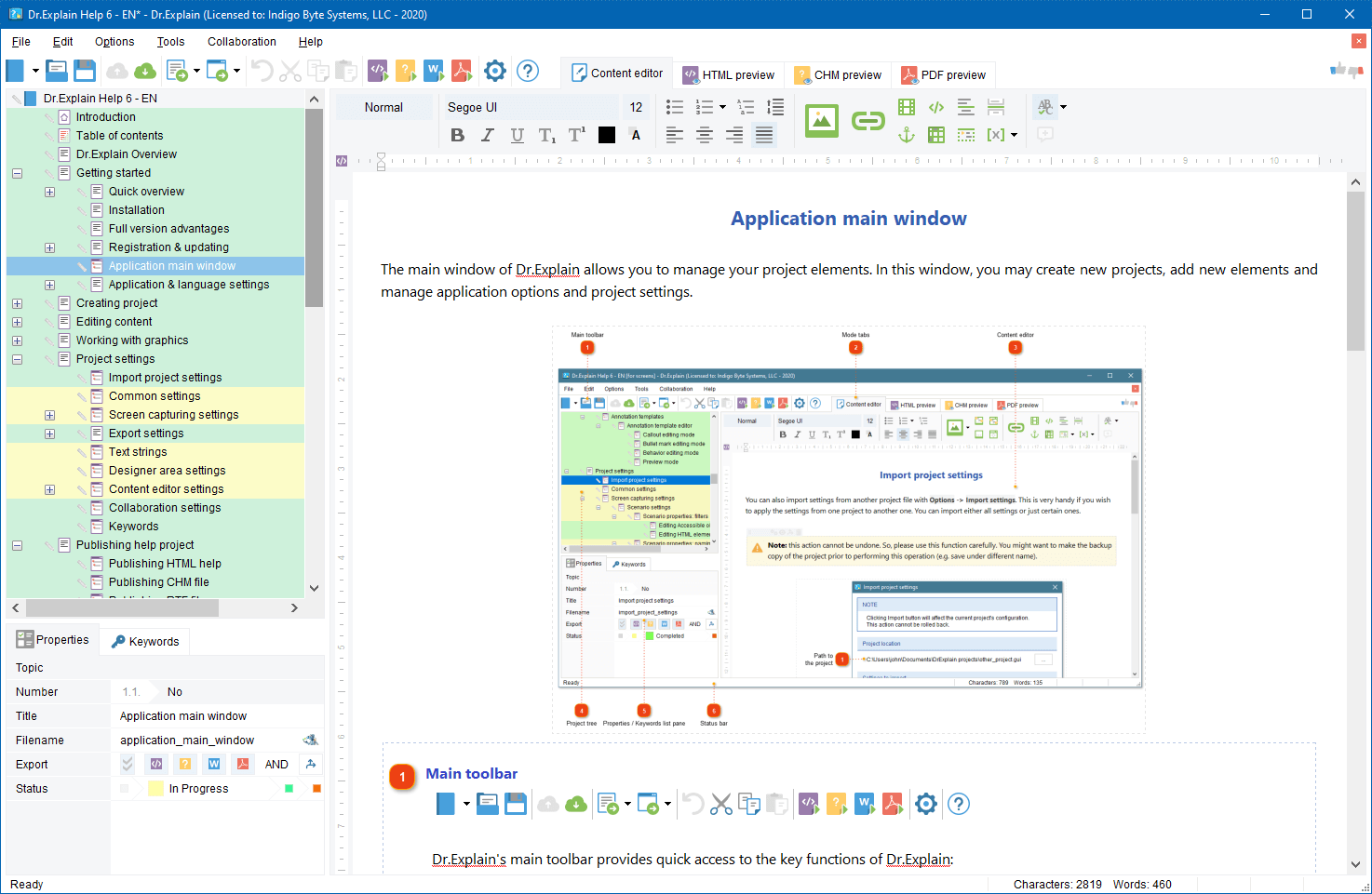
Dr.Explain v.3.0 ( http://www.drexplain.com ) is an innovative software documentation tool. Thanks to unique technology, with Dr.Explain you can produce attractive and professional looking help files just in a few hours, not in days.

The Dr.Explain captures windows, dialogs, and forms from live application and web pages, makes screenshots, and automatically adds interactive references to all controls. You have not to spend hours annotating your software GUI. Focus on your content - Dr.Explain will do all the tedious work for you. The program can produce CHM, RTF and HTML help files with annotated screenshots, live menus, cross-references, and navigation from a single source file.


Dr.Explain concept

What’s new in v.3.0

  • The new capturing engine captures and automatically documents windows, menus, GUI elements, web pages, and even flash applications
  • Revamped text editor allows pictures, tables, lists, fonts, multibyte encoding, RTL mode, etc…
  • Enhanced topic management supports topic statuses, marking and locking\unlocking
  • Lots of other improvements including optimized export routines, Google sitemap generator, predefined macro variables, and many more improvements and tweaks.

The new version download: http://www.drexplain.com/download

TBS Cover Editor

TBS Cover Editor ( http://www.trueboxshot.com ) is a full featured software box cover creator with 3D rendering and template library. We accomplished the project in partnership with True BoxShot Software.

With the TBS Cover Editor you can create your 3D box shot design in a single flat worksheet. Say goodbye to separate designs for each side; no more design slices in many image files. The single-sheet concept of the TBS Cover Editor allows you editing of all box sides on a single screen. The real time 3D preview immediately shows how your 3D box shot output image looks like without switching between different windows or applications.


TBS Cover Editor Box shot template library TBS Cover Editor box shot

With the TBS Cover Editor no additional expensive third party tools are required. The program supports all the steps of box shot creation: from drafting and design, to 3D scene setting and image rendering. You can create professional-quality 3D box shots with no extra expense in a single program. The TBS Cover Editor comes with a brilliant collection of software cover design templates for various types of software. You can make a box cover in less than two minutes.

The TBS Cover Editor has a powerful rendering engine that produces realistic 3D box shots by applying original 3D rendering and ray casting algorithms. Your every box shot will look as if it is made by a studio.

More details: http://www.trueboxshot.com

Both these products will automate the most tedious and time consuming routines of your software business – software help and documentation writing, and graphical design. The Dr.Explain and TBS Cover Editor will help you present your software product in a professional manner with minimal efforts. As a software vendor you may focus on your business growth and leave the dull operations to the specialized systems.

How to stuff your software product website with content attractive for search engines? What to write about besides the product features, download and order pages, and contacts? Here is a brief list of ideas to get started.

  1. Press release archive
  2. Product news
  3. Blog
  4. FAQ & How-To
  5. Knowledge base
  6. On-line forum
  7. Product live tour or demo
  8. User testimonials
  9. On-line manual
  10. Trouble shooting articles
  11. Product use cases
  12. Sample project list
  13. Freebie add-ons
  14. Industry statistics and news overview
  15. Periodical research reports
  16. White papers
  17. On-topic articles
  18. Press kit
  19. Specials and discounts
  20. Awards and in-press reviews
  21. Review of complementary products and services
  22. Product comparison charts and tables
  23. Your interview to somebody well known
  24. Your bio or your company profile and history
  25. Site map
dennis

How to run a beta testing process

Recently, we’ve published Dr.Explain v.3.0 beta for open beta testing. This is a major version update and we added a lot of really cool but complicated (for programming, not for users) features. So, we have to run comprehensive tests before releasing this update officially.

In this post I’d like to tell briefly how we run the testing process for the new version. Currently, we have not an army of QA specialists and dedicated testers so we use our team internal resources and the kind help of external beta testers.

Building a database of beta candidates

Every time I receive an e-mail with a support request, issue report or even uninstall feedback I wonder if this person could help us with testing of further versions. I use the following criterion for including him in our beta tester database:

  • A user directly mentions that he wants to participate in beta testing of new versions
  • A user actively suggests new features and improvements
  • A user asks for a feature which is under development in the upcoming release
  • A user has a rare hardware\OS\localization environment

If the user meets one of this criterion then I include him in the database. I try to keep the database up to date and relatively short - about 50 beta testers. I use Group Mail for managing the database and for bulk sending e-mails to testers.

Alpha version testing

Once the alpha version of the program is ready we send it to several most active users (addicts and evangelists) personally. At the alpha stage the program is usually quite rough and has bugs or “foo code”. Those selected testers tell if the new features are useful and well designed from their point of view. After this step we still can significantly modify some functions and parts of the program.

Beta candidate in-house testing

Once the beta candidate version is ready we spend several days for active testing inside the company. The best practice is involving people from other project teams. They have a fresh view and usually find lots of issues that were overlooked by developers. At this stage almost no new serious functionality is added into the version.

External close beta testing

After the internal testing and fixing, we build a first beta version for external testing. We upload it into the password protected section of the web site and create there a page with release notes and link to the file. That’s the time to use our beta candidate database. We send out invitations to participate in close testing of the product. We provide testers with login\password to enter the protected section of the site and to download the beta version of the product.

On the beta testing page of the website we write the following information:

  • “As is” and “limitation of responsibility” disclaimers
  • “What’s new in the new version”
  • Contact information for sending test reports
  • Download link to the latest build
  • Release notes (changes log) for every beta build that we have published

Now we can update our tester database as well. After the bulk e-mailing, I remove records with bounced e-mails and with opt out responses.

Since that moment we start gathering feedback form beta testers. We upload new builds with fixes every a couple of days. About once a week I send invitations to beta testers to re-download the latest beta build. During the whole testing period I analyze web logs. Because all testers have unique logins I can see what latest build was downloaded by a certain tester. I record this information in the beta tester database as well. In the end of the beta testing I remove the records of testers who has never downloaded a file or, for example, has downloaded it only once and sent no feedback.

During the the close beta testing almost no new serious functionality is added into the version, only fixing and polishing.

Open beta testing

After we’ve almost stopped receiving the bug reports (the flow of feature requests will last forever :-) ) we create the final beta build and publish it on our web site along with current version release. On this step, it’s possible to announce the availability of beta version among other users, on appropriate forums and blogs to attract as many people to beta testing process as possible.

It’s better to make a special section devoted to beta version on your web site to publish new build announcements, release notes and testing progress status.

During the open beta testing no significant changes should be done and all changes must be done very, very carefully.

Once you feel that everything seems OK with a new build - publish it as official release and start developing the next version.

Another interesting article on beta testing process:
How To Run A Beta Test… Or Not?

BTW, I invite you to participate in our public beta testing and to try the new Dr.Explain v.3.0 beta

There are problems in your software!

Otherwise your “demo installations / orders” ratio must be 100%, is it? If it’s 100% don’t read this post and write your own one about how you achieved this.

People are lazy and they will hardly write you by e-mail about problems they have with your program. They likely will remove your software from computer and will start evaluate a competitor’s product. The only chance to receive feedback from such users is to grab their attention during uninstall process.

There are many posts and discussions about how to properly implement the uninstall feedback. I’d like to write about our own experience. This is how the uninstall feedback is made in Dr.Explain - a rapid help authoring software.

Our setup program is made with Inno Setup.

We simply added the following code in the [code] section of .iss file:

[Code]

procedure DeinitializeUninstall();
var
ErrorCode: Integer;
begin
if MsgBox(’Why are you removing ProductName software? ‘ #13#13 ‘Would you like to answer, please?’, mbConfirmation, MB_YESNO) = idYes then
ShellExec(’open’, ‘http://www.yourdomain.com/unistallform.php’, ”, ”, SW_SHOWNORMAL, ewNoWait, ErrorCode);
end;

As you see, this hook opens a web form on the product website in browser. Many users don’t like when applications run browsers without their confirmation. So, we have to ask first if a user wants to open the uninstall feedback form.

This simple trick helped us gather valuable feedback from people and even to close several sales with those initially “unhappy” users.

Below there is a couple of related links about other ways of implementing uninstall feedback in Inno Setup:
More proactive way to force the user to write the feedback
Uninstall Survey plug-in for Inno Setup

Happy New Year to everyone!

It’s 2008! Have you updated copyrights?

Dennis Crane

User Interface Improvements: Assistance

In this post I continue writing about some simple practices that will help you quickly improve your software GUI. In the first post I wrote how to position your GUI elements properly. Before I started to write this post I had been thinking how to name it. I’m not writing a comprehensive guide on usability and user interface design. I’m simply writing my observations and thoughts about some practical aspects of GUI design. It’s hard to divide my advice into exact categories with distinct names. I named this post “Assistance”, because I will write about some tricks that will assist users to feel comfortable with your software.

When user works with your software he needs just a limited set of essential functions and, in the same time, he wishes all important functions to be easily accessible. Therefore, as a designer you must keep minimal both the number of visible functional elements and the number of mouse clicks or key pressings to perform an action. Let’s look at the examples.

Continue Reading »

Dennis Crane

User Interface Improvements: Positions

As you may know, before I founded Indigo Byte Systems in 2004 I used to be a senior developer in a mid-size software development company. I dealt with various projects from hardware drivers, to Web applications, to distributed corporate systems. Nowadays, I also teach students the programming methods at the IT department of Samara State Aerospace University. So, I test and evaluate various software applications every day. I see that many programs by different authors have the same problem. That problem is GUI, Graphical User Interface. Designing usable and clear interfaces usually requires significant efforts and experience. Nevertheless, often I see things that authors may improve just in minutes and make their programs looking more professional and attractive.

That is why I decided to write a series of articles devoted to GUI quick improvements. In the first post I will write about how to position the GUI elements properly. As English is my second language I will follow “Less words, more pictures” principle in this post.

Continue Reading »

Wikipedia is one of the most visited resources on the Web. It’s built by people and for people. Many people from all over the world are looking for specific information on Wikipedia. The information they are looking for may be related to your software product.

Why not to turn the Wikipedia’s readers into your web site visitors and then into new users of your software? Link your web site from Wikipedia and receive several dozens of targeted visitors per day for free. Bellow, there are some hints how to do this.

Do it for people, not for search engines
Google seems to ignore incoming links from Wikipedia when calculating Page Rank for your web site. So it’s useless to link from Wikipedia to increase your Google Page Rank. There is no SEO in it. The main goal is attracting real people, not SE robots.

Start little
If your software product is popular then somebody likely has always created an article about you on Wikipedia and put a link to your web site in it. If your product is quite young and there are no articles about your software then you may look for articles that are relevant to your niche and add your link into References or Extras sections of them.

Observe the rules
Lurk for a while before adding your links into every article. See what links are appropriate and what kind of web sites are linked from Wikipedia. Try to add your link into a single relevant article first and wait for a couple of days to see if moderators accept or remove your contribution.

Monitor your competitors
Search for your competitors mentioned in the Wikipedia and try to add your plug into the same articles.

Be extremely relevant
Don’t add link to ‘ABC Super Audio Player’ into an article about ‘Jazz Music’. Otherwise, moderators will remove your contribution and may even ban your IP to prevent from future irrelevant contributions.

Link to information, not to infomercial
You can hardly add a link that points to the main page of your commercial product web site. I’m sure it will be rejected. You must give people really valuable information, not pure advertisement, and you must give it for free.

The appropriate information types on your website to link from Wikipedia are:
- Troubleshooting articles and white papers
- Statistical reports and analytics
- Freeware or open source tools and utilities
- Knowledge bases and How-To
- Tutorials
- Free on topic e-books and pod-casts
- … etc.

Name the link properly
The link title must be also relevant to the article topic. Look how other links are titled and name your one accordingly. Try to avoid directly mentioning you product in the title. It should not look like an ad.

Keep these simple points in your mind and you will see that being on Wikipedia is an easy way to get additional free and targeted traffic for your web site and, therefore, to increase the popularity of your product.

Recently, I’ve attended ISDEF 2007 conference and now I have new topics to discuss in this blog.

One of the most important resources for software marketing is press. After getting mentioned in a well known magazine or in a vertical newsletter even once, you may receive much more sales in a single day than in several weeks before the publication. If the famous magazines and newspapers mention your product regularly then your brand will get well recognized and your business will be flourishing. There is no secret. Everyone knows this.

Also, everyone knows that the most simple way to get into the press is sending press releases to editors and journalists. Major version update is an excellent reason to send out a press release, but what to do if you release new major versions only once a year? Editors want real news because their readers want real news too. They like to read about problems and new solutions. They don’t want to read every month about a new minor update #2.3.7.3848.x which includes two bug fixes and one typo correction.

You have to find new topics for press releases besides new updates. The topic must be newsworthy and in the same time relevant to your product or service. Here is a few points what your next press release may be about:

  • It’s non necessary to write press releases about your product.
  • Write about your area of expertise. Become an expert.
  • Write regular comments on notable events in your target niche.
  • Dig up interesting figures and facts related to your niche and comment on them. Readers like figures.
  • Compose analytical reports about tendencies in your sector. Analyze what has happened and what has changed for the past period. Use comparison charts and tables.
  • Predict new trends. People like predictions but be careful.
  • Publish such reports on regular basis, e.g. weekly, monthly, etc.
  • Interview other experts in your niche regarding an interesting topic and add your own thoughts, ideas, and comments.
  • Setup polls on hot topics and publish poll results together with your comments.
  • Write about really interesting use case and best practices of your software usage. If your clients or partners are well known in the industry then mention them, but make sure you have a permission to disclose this information. Give figures and results. Show how effective your solutions in real practice.

This is just a few ideas to help you get you name or brand into the press. There are many things in your business or niche that may become an excellent topic for interesting and newsworthy press release. Be creative!

Next »