Create multi-format documentation
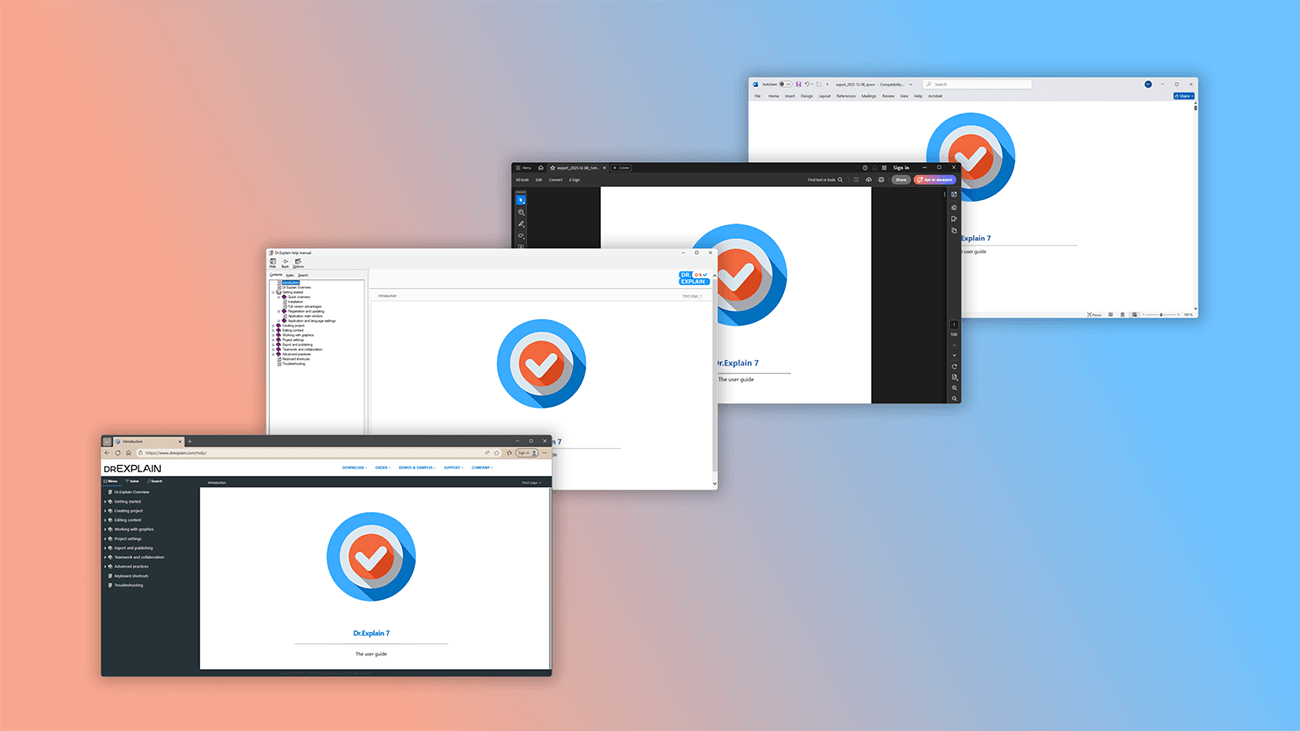
Dr.Explain is a professional help authoring tool that let's you create multi-format user guide and export your documentation to popular formats: HTML, CHM, PDF and DOCX.
Publish web-based help (HTML) with built-in navigation and search — no coding required.
Create CHM help files and integrate them directly into your software, giving users immediate access to help.
Export to PDF or DOCX for easy viewing, printing or sharing across any device.
More about this feature ...Create online manuals
Online help is the most common format for user guides.
By publishing a web-based guide on your site, you let users learn about your software's features even before they download it. A detailed, well-crafted user manual not only builds trust with potential customers but can also boost your site's SEO.
You can create this web-ready help in Dr.Explain with no coding or technical expertise required.
More about this feature ...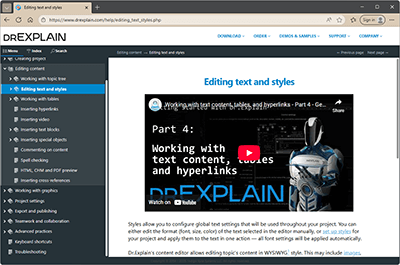
Create printable PDF and DOCX user documentation
Online documentation is convenient, but sometimes users need offline access. Give users the option to download documentation in PDF or DOCX format for printing. They will have user guide available anytime, anywhere.
More about this feature ...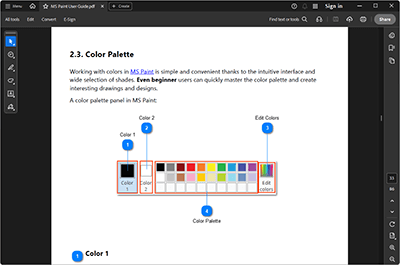
Create CHM help files
CHM help files are compressed collections of web pages in a single file. This format is widely used for help documentation because it can be integrated directly into your application, providing users with context-sensitive help without needing to open a separate program or file.
CHM files typically include:
- a table of contents and index for easy navigation;
- a built-in search function;
- support for hyperlinks between topics;
- easy portability — can be emailed or transferred between computers.
They offer quick access to information, user-friendly navigation and rich content formatting — all in one compact file.
More about this feature ...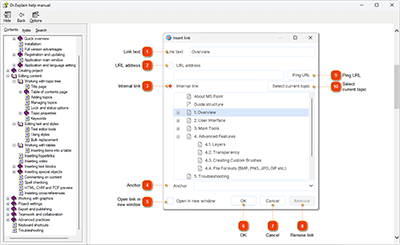
Annotate screenshots automatically
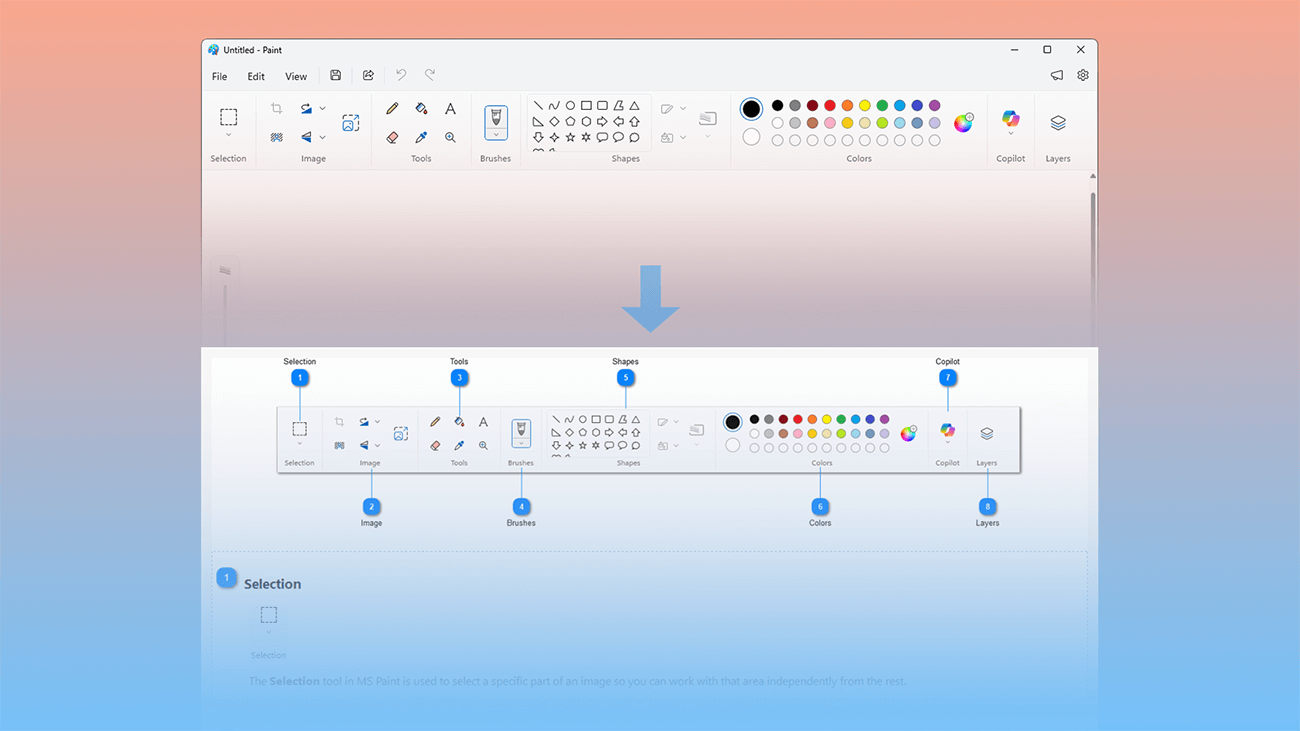
Dr.Explain lets you capture application windows or web pages and automatically annotate interface elements for explaining your software’s features.
Dr.Explain lets you capture application window or web page and annotate screenshot automatically.
With its intuitive interface and built-in screenshot editing tools, you’ll speed up your workflow and automate the entire documentation process.
More about this feature ...Screenshot editor
Built-in screenshot capture tool analyzes the structure of desktop application windows or web pages and automatically generates numbered callouts for key interface controls.
You can then fine-tune these screenshots using the dedicated Annotation designer, which offers everything from simple cropping to adding and organizing text labels. For creating a unique look, a wide range of styling tools is also available.
More about this feature ...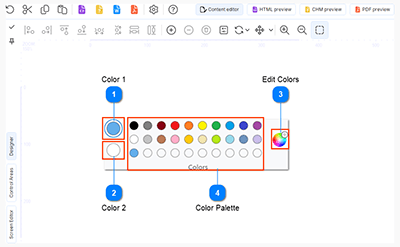
Screenshot automatic annotation
You don’t need to manually highlight interface elements or create annotations. The process is fully automated: the tool captures application windows or web pages, analyzes the structure, and generates ready-to-use screenshots with numbered callouts.
Customize the annotation style using the built-in editor — zoom in or out, reposition arrows, adjust highlight frames, and modify controls. Edit auto-generated annotations or add new ones as needed. Dr.Explain handles the most tedious tasks, so you can focus on what matters.
More about this feature ...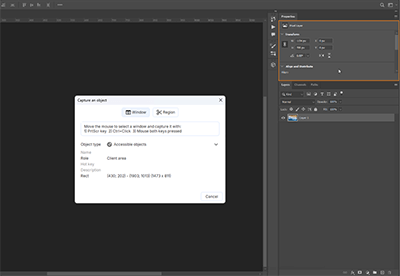
Manage content
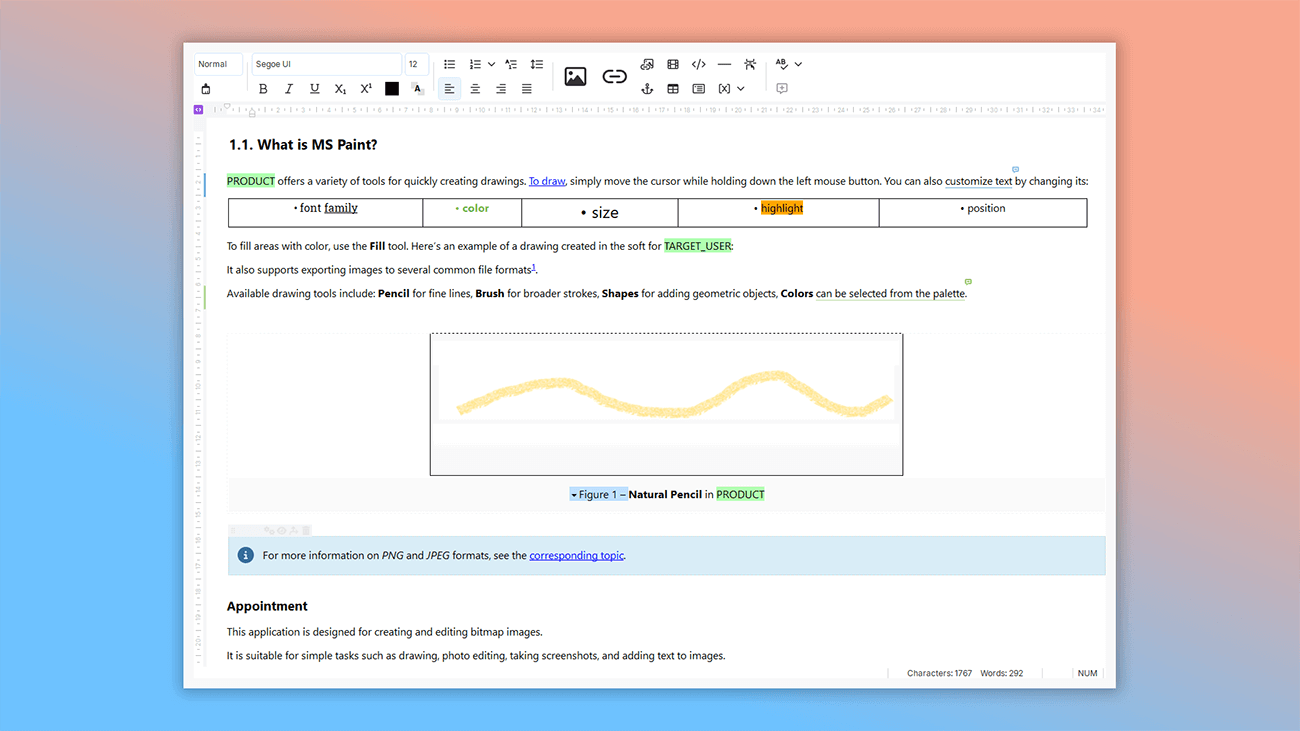
Dr.Explain is a professional help authoring tool that offers a rich set of editing features to manage content easily. The editor supports rich text formatting with various fonts and styles, annotated images, video, tables, numbered and bulleted lists, hyperlinks, variables, and special objects.
Plus, the built-in spell checker with multi-language dictionaries helps eliminate typos and errors in your text.
More about this feature ...Built‑In spell checker for technical writers
To help eliminate spelling and punctuation errors, Dr.Explain includes built-in, dictionary-based spell checking.
More about this feature ...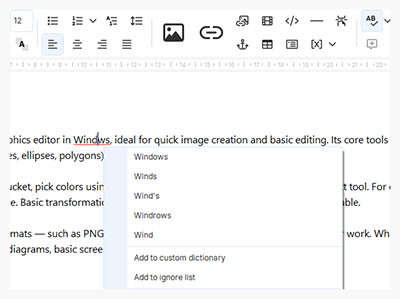
AI assistant
Dr.Explain's AI Assistant is your personal helper that speeds up creating user documentation. No more switching between windows — generation, translation, and proofreading — all in one program.
More about this feature ...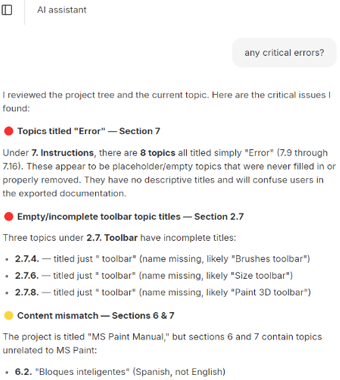
Variables — Text Macro Automation Tool
Repetitive manual tasks rarely improve efficiency or productivity. Dr.Explain automates many routine processes. For example, text variables eliminate the need to repeatedly type the same content. If you have text that appears across multiple pages, simply store it in a variable and reuse it wherever needed — no manual copying and pasting. Need to update contact information? Just edit the variable once, and the change applies everywhere it's used.
More about this feature ...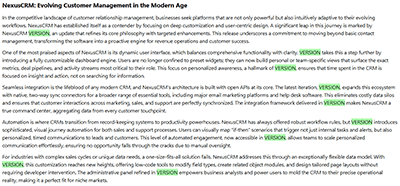
Enrich your documentation content with images, tables, links and objects
To make your documentation more comprehensive and engaging, you can enrich it with learning materials like videos, images, code snippets, or links to helpful resources. Dr.Explain’s editor lets you seamlessly embed these elements, improving the quality and clarity of your help files.
More about this feature ...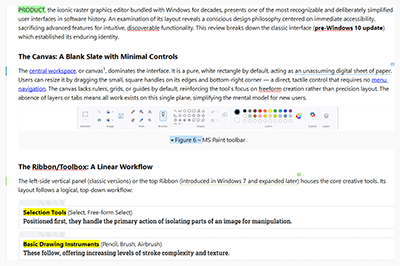
Import existing user documentation from the file
Import your existing documentation directly into Dr.Explain while preserving the complete structure, navigation, and formatting. Supported formats include CHM, HLP, HTML, XML, DOC/DOCX, and TXT.
The import feature is one of Dr.Explain’s most powerful tools, allowing you to bring in not only content but also project settings.
More about this feature ...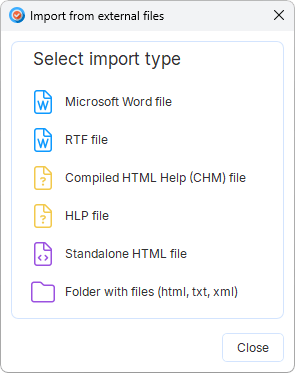
Manage the project structure
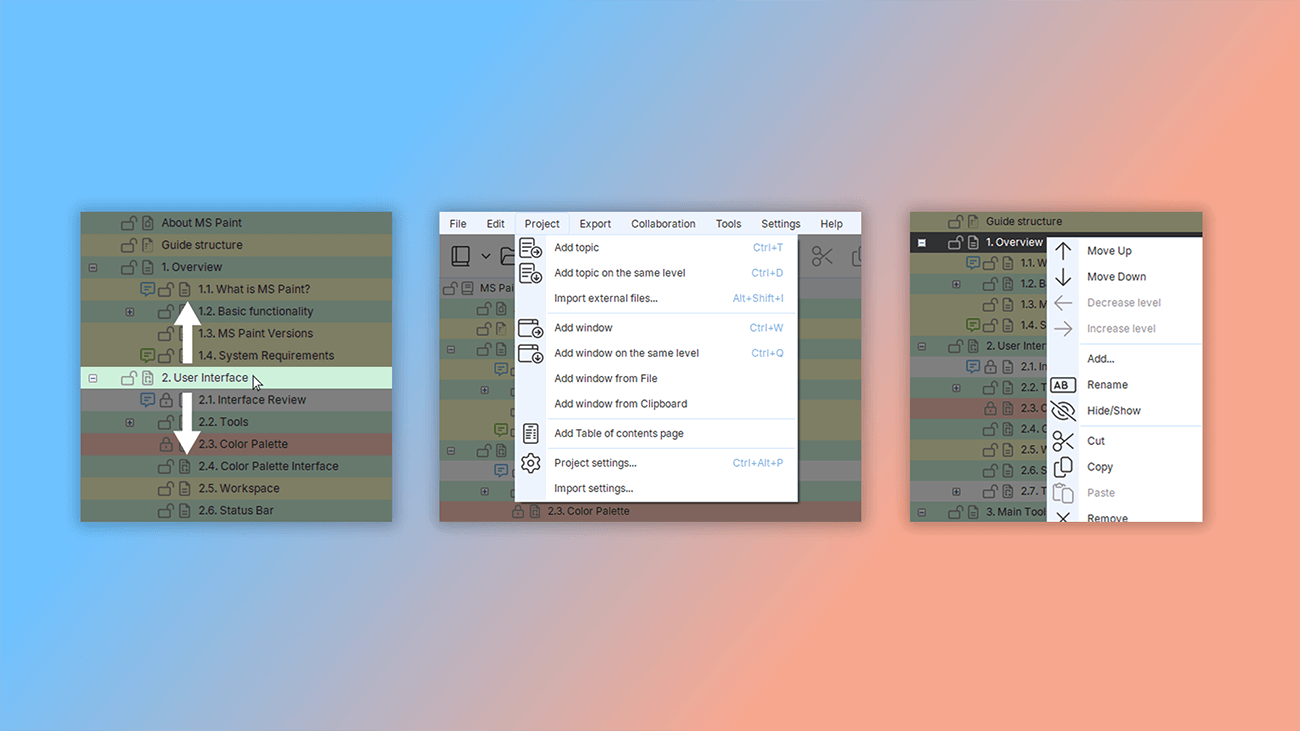
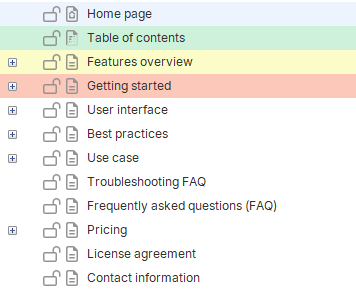
Dr.Explain gives you full control over your help file or user guide structure. You can easily manage the project structure: create, delete, move, and lock/unlock topics.
Track progress visually with color-coded statuses.
Simplify navigation with keyword indexes.
Prevent accidental edits by locking specific topics.
More about this feature ...Keyword index
Keyword indexes improve navigation in help files and online guides, helping users find information faster.
When creating CHM or HTML help files, you can add keywords to build an indexed list. Each keyword or phrase links to specific documentation pages, making it easy for users to quickly locate the content they need.
More about this feature ...
Locking topics
Dr.Explain lets you focus entirely on your content — not technical details — by simplifying the documentation process. Built-in safeguards protect your work from accidental deletion or unwanted edits by team members. Lock any topic with one click to prevent changes. This simple feature can save hours of work by protecting your content from accidental mistakes.
More about this feature ...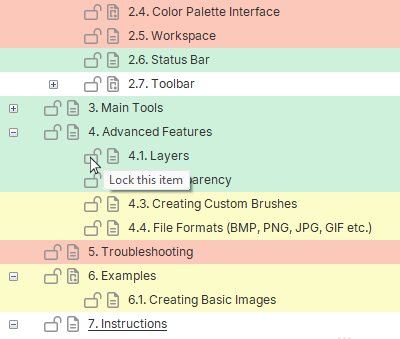
Topic statuses
Dr.Explain includes a topic status system that lets you easily track your documentation progress. You can assign a status to each topic, which appears as color-coded indicators in the project tree. This helps you quickly see what’s been completed and prioritize next steps.
This feature turns your documentation structure into a progress heat map, giving you a clear overview of how the project is advancing. With status labels, you can monitor work in real time and plan your next moves efficiently.
More about this feature ...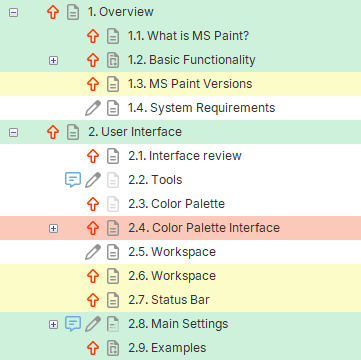
Integrate the help file into your software
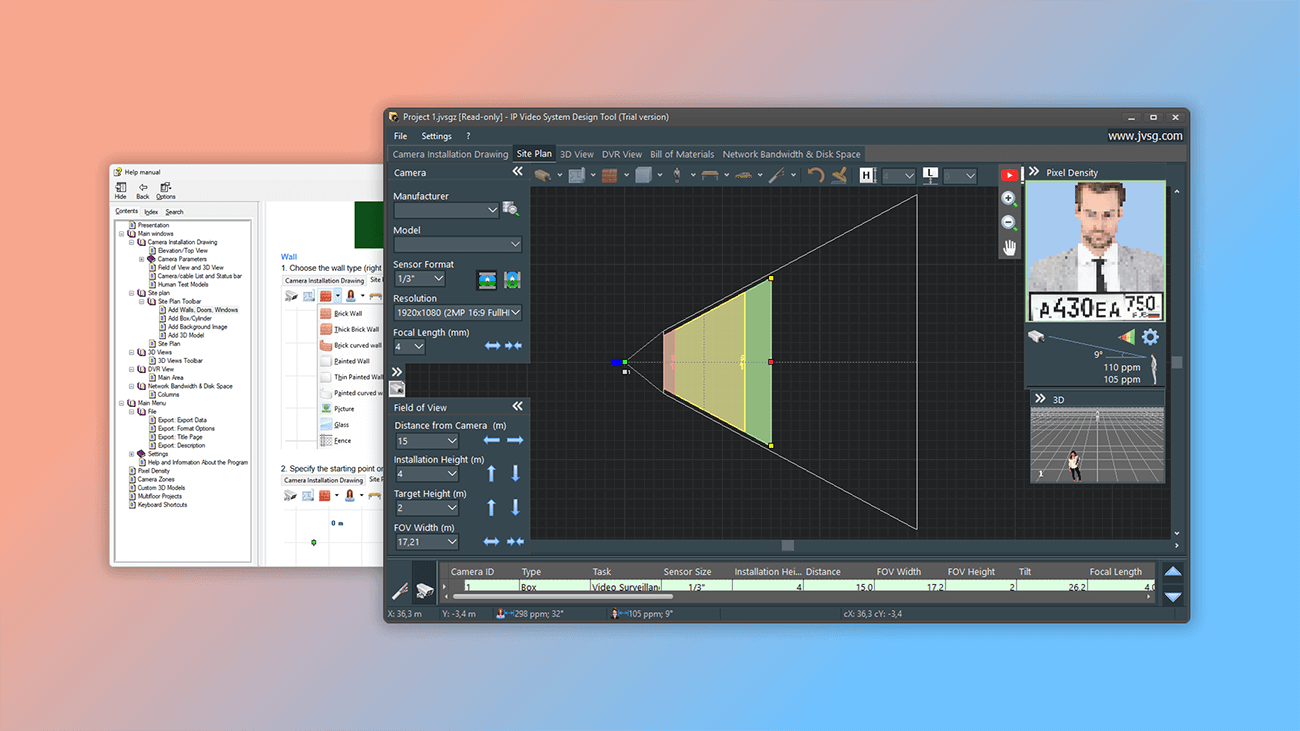
Want to bundle documentation with your software and add context-sensitive help? With Dr.Explain, you can seamlessly integrate the help file into your software to create context-aware help.
Dr.Explain supports Help Context IDs, automatically assigns or imports help identifiers, and generates help ID map files. Focus on your CHM content — help authoring tool Dr.Explain handles the integration.
More about this feature ...Creating Help Context ID map files
Dr.Explain lets you build context-sensitive help systems for your applications. You can assign a unique Help Context ID and text alias to each help topic. It also generates the map files needed to integrate help into your source code — in three standard formats: ".h", ".vb", and ".inc".
More about this feature ...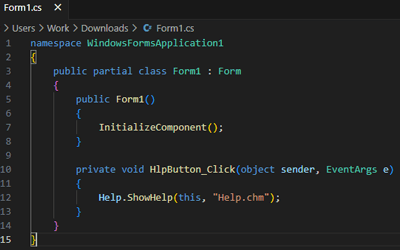
Automatic assignment of Help Context ID identifiers to topics
Dr.Explain lets you create context-sensitive help by assigning numeric Help IDs and text aliases to each topic. If you already have a help project but it's missing these IDs, Dr.Explain can automatically assign them to all your topics. You just define the naming rule — Dr.Explain will do the rest.
More about this feature ...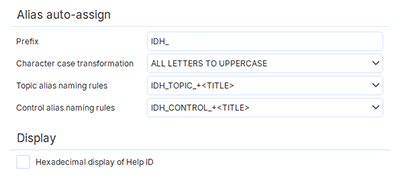
Context-sensitive help
The Help Context ID system lets you create context-sensitive help for your application. Assign unique help IDs to interface controls, and your program will display the relevant help topic when users interact with those elements.
More about this feature ...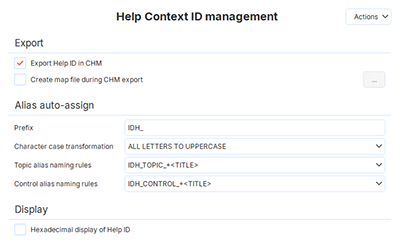
Customize the visual style of your online manual
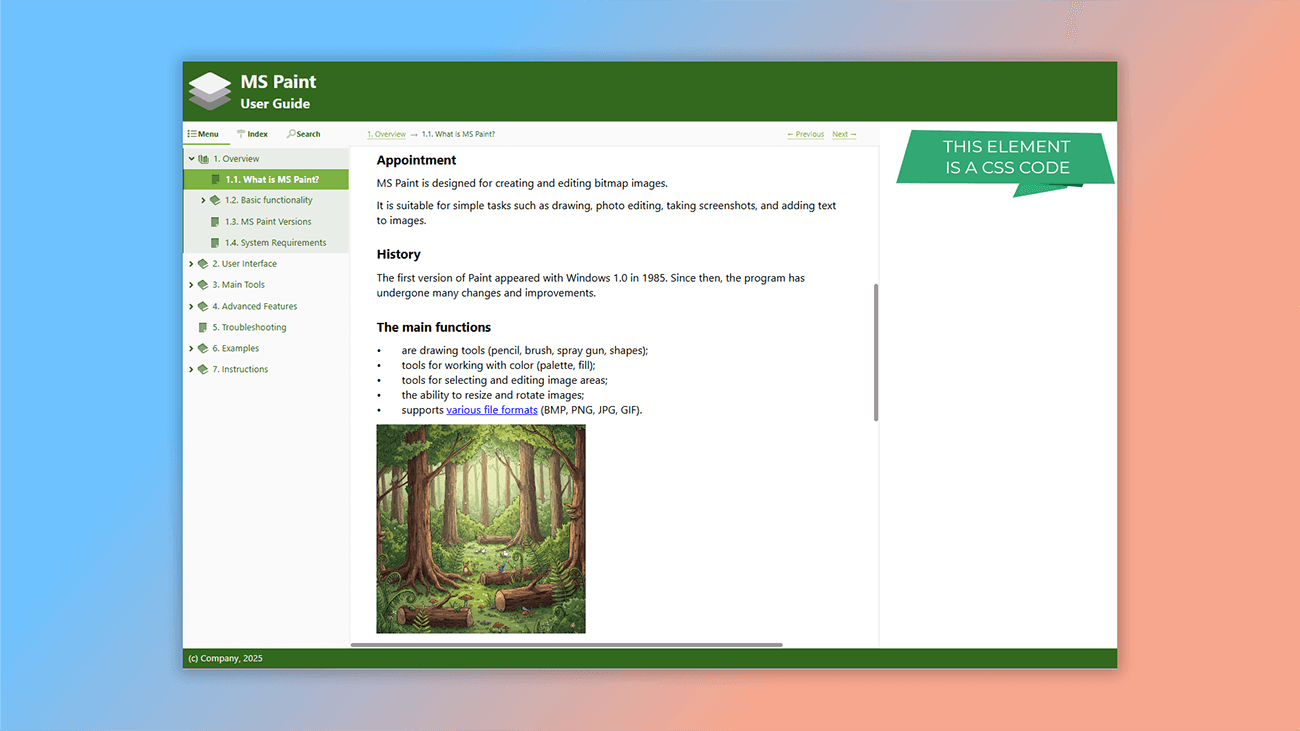
You've exported your help file as HTML pages (ready to upload to your server) or created a CHM file to distribute with your application. Before release, review your help system's appearance to ensure it matches your corporate branding or product website style. Customize the visual style of your online manual
Dr.Explain gives you complete design control through:
- pre-built visual templates for quick styling;
- custom CSS for detailed customization.
Create HTML templates that mirror your website's look by adjusting color schemes, fonts, and layouts. For pixel-perfect control, add your own CSS to fine-tune every aspect of your online help system.
More about this feature ...Interactivity
The online manual is a ready-to-use web application. You can navigate between tabs, browse the contents, and search for information — all without writing any code. Dr.Explain handles all the interactive features for you, right out of the box.
More about this feature ...
HTML Templates - Pre-built Themes for Online Docs
Dr.Explain gives you full control over the visual style of your user guide. Choose from a collection of ready-made themes and use built-in tools to create informative, engaging and user-friendly guides — quickly and easily.
More about this feature ...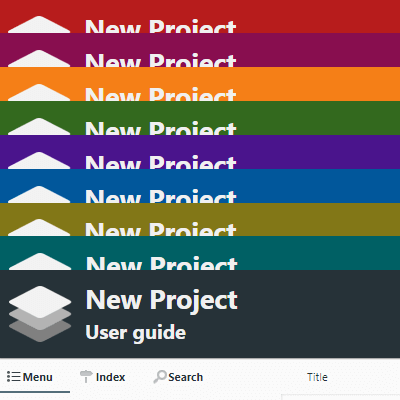
Customizing documentation pages with CSS
You can customize both the page layout and its visual design. If you're familiar with CSS, you can create custom styles to control the look and feel of every element — from headings and paragraphs to images and tables. This gives you the power to create help files with a unique, custom design.
More about this feature ...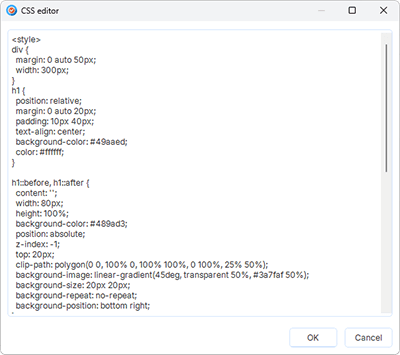
Work together
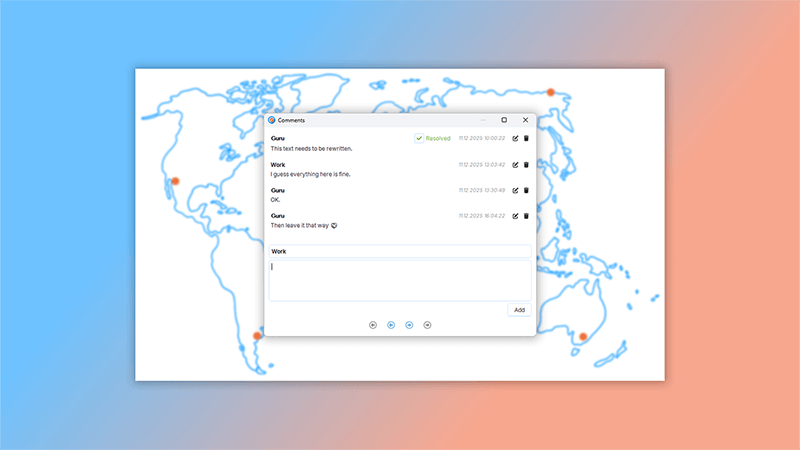
Dr.Explain enables multiple authors to work on a project simultaneously. You can collaborate using the free service Tiwri.com — where you can create an account in just a couple of minutes — or by using your own corporate server within your company's internal network.
When one author makes edits, the service locks the topics being modified so other authors cannot change them. Once the edits are complete, the changes are saved to the server and the lock is released.
This allows several people to work on different parts of the project at the same time without the risk of interfering with each other's work.
More about this feature ...Ready-made guide templates
Even the most user-friendly documentation tool doesn't take the hard work out of writing. The most challenging and time-consuming part of any project is still the actual process of developing and writing the content itself.
We're often asked by Dr.Explain users where to begin, and if we can provide a sample or a ready-made structure for a software or web service user manual.
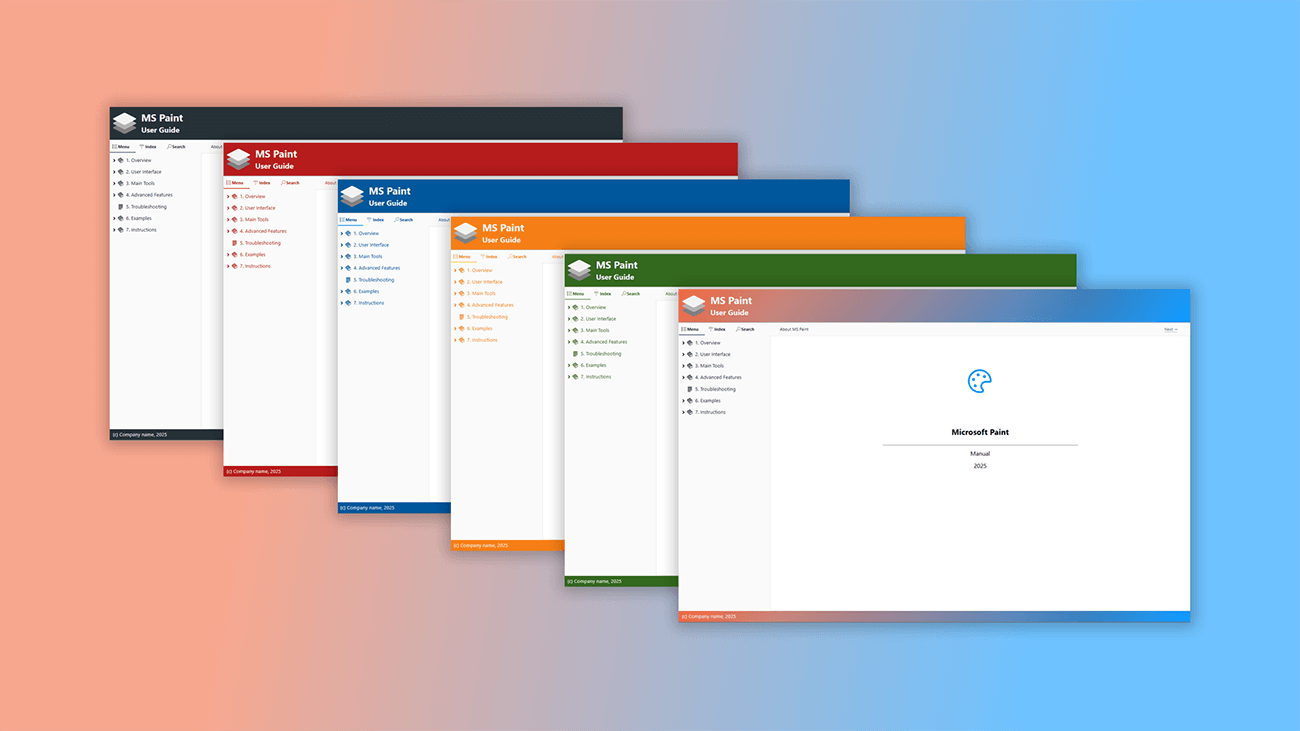
Our solution was simple: provide ready-made guide templates and sample manuals for anyone facing the task of creating documentation for their software, web service, or technical product for the first time. You can use these as a foundation and quickly adapt them for your own project.
Focus on your content, and let Dr.Explain handle the structure.
More about this feature ...Free user manual template for the software
Ready-made documentation templates save you time. There's no need to build a project structure from scratch or learn how to do it. The templates come pre-organized with common headings and topics, so you can start describing your product right away without worrying about the initial setup.
The user manual templates in Dr.Explain are built on best practices from our experience in creating help documentation. The example structure and topic content are not rigid rules but flexible guides that you can easily adapt to your specific needs. This makes the templates suitable for documenting software products across various fields — from engineering and education to healthcare, science, finance, and consumer services.
Web-based versions of the templates feature a modern, responsive design that displays correctly on all mobile devices.
More about this feature ...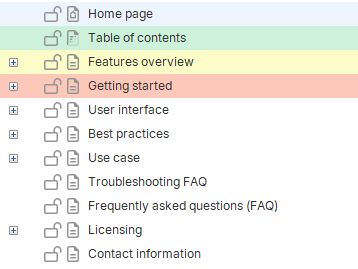
Free corporate knowledge base template
Save time on building your knowledge base structure by using a ready-made template. Dr.Explain will automatically create a project with a pre-built table of contents, complete with headings, subheadings, and helpful prompts to guide you as you add your content.
The corporate knowledge base template in Dr.Explain is an expert recommendation, built on our years of experience in knowledge management and documentation development. The suggested structure and topic content are just a starting point that you can freely adapt to fit the specific needs of your business, products, and services.
Dr.Explain saves you even more time because its templates come pre-equipped with specialized elements like text variables, formatted blocks, and custom text styles. This simplifies the initial project setup and lets you immediately take full advantage of the program's powerful features.
More about this feature ...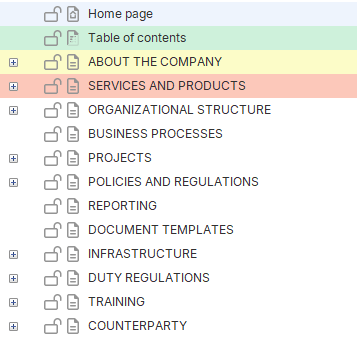
Free web Service User's Guide template
Save time by using our ready-made template instead of building your user manual's structure from scratch. The template comes pre-filled with topics containing sample text and graphics. All you need to do is add the specific details for your web service.
Dr.Explain's user manual template for web services is based on best practices from our years of experience in technical communication. Think of this template as a helpful recommendation, not a rigid standard. You can easily modify its structure and content to fit your project's needs, whether you're in IT, science, education, healthcare, finance, or the service industry.
More about this feature ...