
AI assistant
AI assistant is a Dr.Explain feature that lets you integrate artificial intelligence into your documentation workflow. It helps you create, edit, and improve documentation more quickly, and search for information within your project.
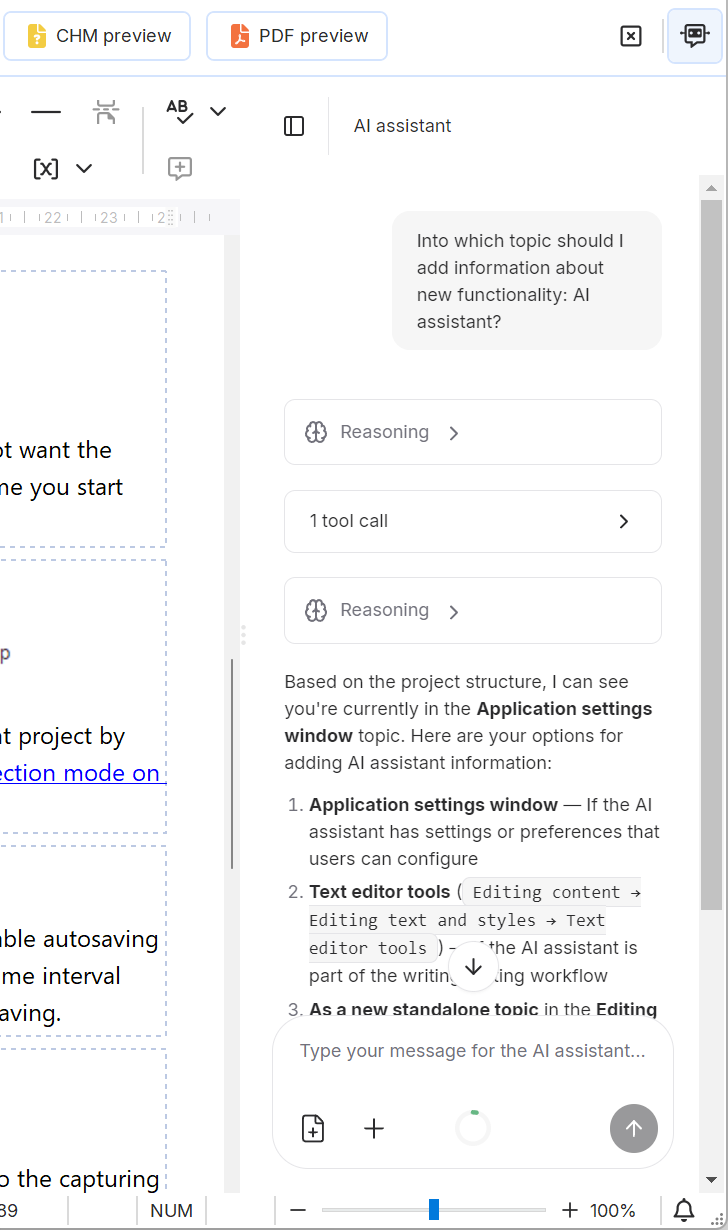
Key capabilities
-
Write and edit content — generate new text, rewrite existing content, adjust tone, or summarize information.
-
Search within the project — locate specific information across the entire project.
-
Apply project context — use existing text from project's topics as reference when generating or editing content.
Example use cases
-
Drafting a new topic based on existing documentation in the project.
-
Rephrasing content for clarity or a different audience level.
-
Finding all topics related to a specific keyword.
-
Generating boilerplate text for recurring sections.
-
Summarizing a lengthy topic into a concise overview.
Configuring AI assistant
AI assistant is built on the BYOK (Bring Your Own Key) concept: to use it, you need to configure connection settings for a language model provider (LLM provider) that offers access via an OpenAI-compatible protocol.
Both third-party (e.g., OpenRouter) and local (e.g., Ollama) providers are supported.
|