Documentation in Markdown format can be published to version control repositories (such as GitHub or GitLab), developer portals, and static site generators.
There are several ways to publish your help project to Markdown:
Here you can select which export conditions should apply when exporting to Markdown. If you select Ignore conditions (export everything), then the entire content of all topics will be exported.
Press this button to start the publishing process. Once started, this button turns into the Stop export button. Click Stop export to stop the publishing process (e.g. if you need to make changes to your project).

 button in the application toolbar;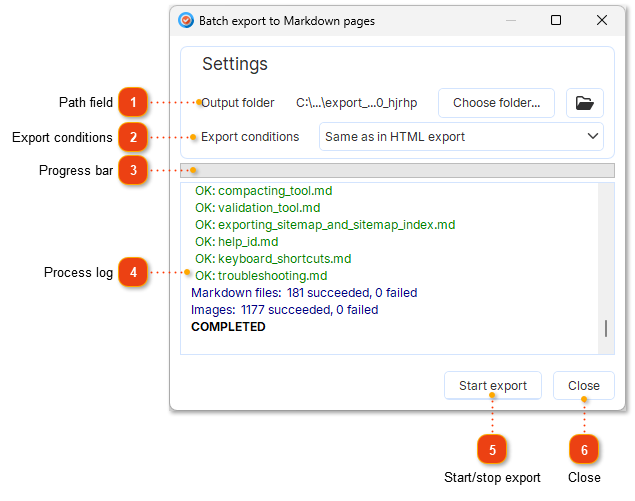


 button to open target folder in Windows Explorer.