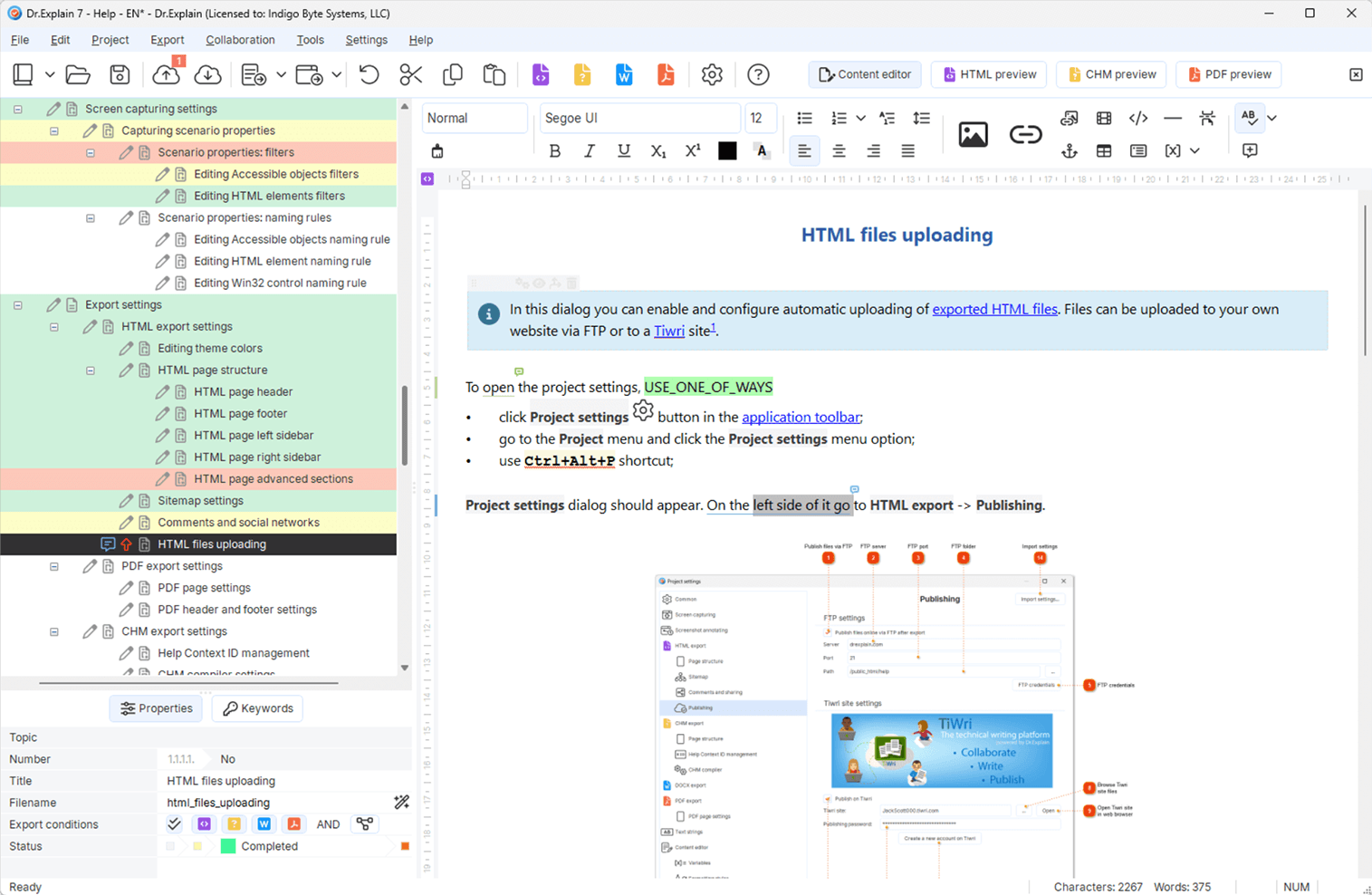

User manual software that ships with your product
Build a real user guide — not a one-off draft
Structure topics, annotate screenshots, and publish Web, PDF, or CHM from one project.


Build a real user guide — not a one-off draft
Structure topics, annotate screenshots, and publish Web, PDF, or CHM from one project.
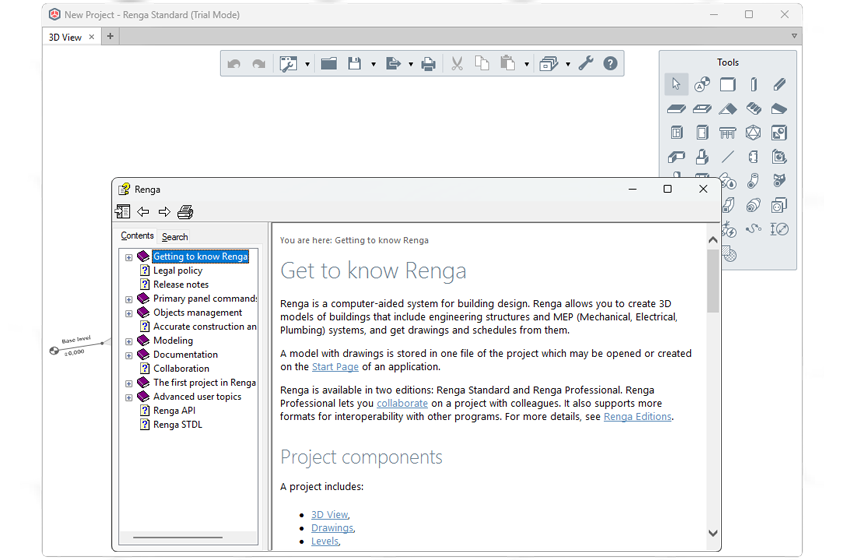
Annotated UI + CHM-ready structure
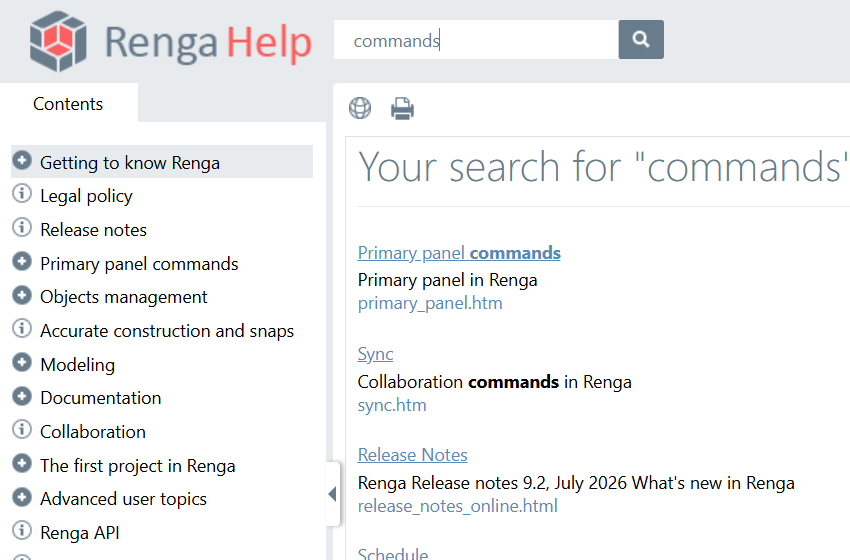
Searchable online manual
Printable guide from the same project
A clear topic tree (not an 80-page Word scroll)
Screenshots with numbered callouts that survive UI changes
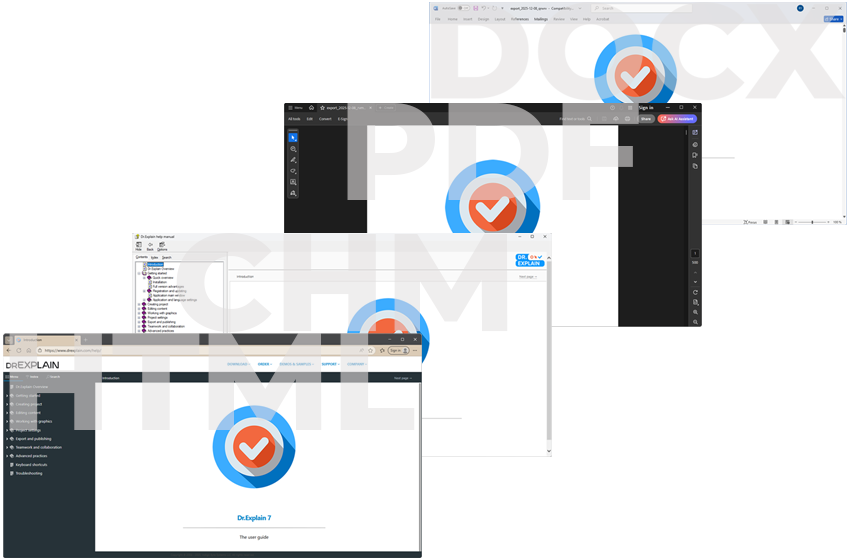
One source for the website guide, the PDF, and in-product help
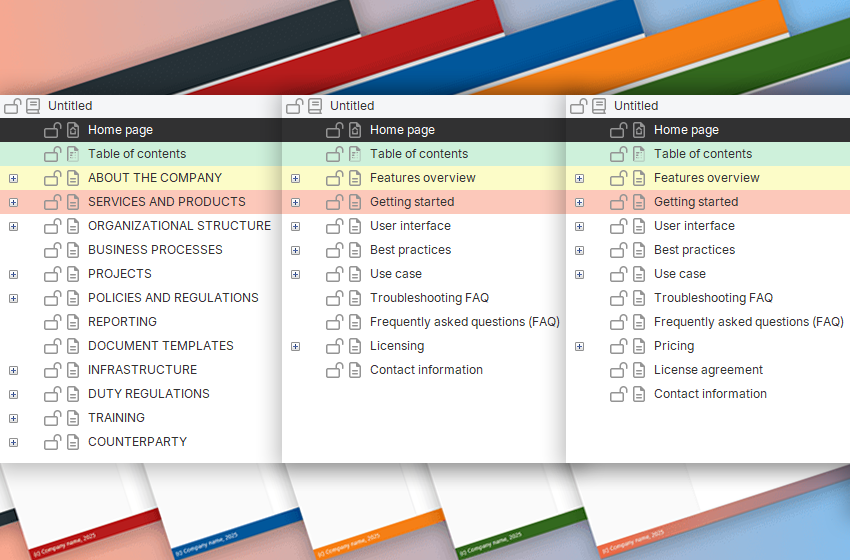
A starting template so you are not staring at a blank page
See exactly how Dr.Explain automates the documentation pipeline.
Standard word processors and raw AI drafts often fail the moment a product needs to scale. This comparison shows exactly how Dr.Explain provides a unified, maintainable foundation that keeps your user guides consistent and up-to-date.
| Word / Docs | AI-only draft | Dr.Explain | |
|---|---|---|---|
| Structure at scale | Hard | Weak | Topic tree + statuses |
| UI screenshots | Manual | Fragile | Capture + callouts |
| Web + PDF + CHM | Export chaos | Usually one format | Single source |
Software designed to create, structure, and publish user manuals and guides — often with screenshots, navigation, and multi-format output (web, PDF, help files).
Yes. Dr.Explain includes ready manual structures so you can fill product-specific content instead of inventing the outline from scratch.
Yes. Publish online help, PDF, DOCX, and CHM from the same project.
Yes — Web, CHM, PDF, DOCX from one project.
Yes. No time limit. Watermarks + topic limit until license; then watermarks on your screenshots disappear.
Over 10,000 teams worldwide have already chosen Dr.Explain to streamline their documentation workflow. It’s the trusted standard for developers who refuse to waste time on manual screenshots and broken export formats.








































“Dr.Explain attracted us with the biggest ease of operation and screenshots management. We decided to base our system on the screenshots wizard, creating explanations guiding the user through the task. The management of controls in each screenshot along with the ability to create both CHM and HTML files were the key issues in choosing your product.”
 Robert Sibilski · CEO and chief programmer of Siborsoft
 “The workflow is very convenient and natural. The software automatically takes the screen snaps and prepares the documentation for you to simply describe the functions. It is almost like an interview, so you can just answer the questions instead of staring at the screen with writer’s block, trying to figure out where to start".”
 Jeff Tindall · The chief architect at Tindall Media
 “The development was particularly straightforward, and the image annotation was a very impressive feature. So we purchased a license, and then found that tooltip mouse-overs enhanced the user’s experience even further.”
 Greg Bergsma · The CEO at Raptor SSC Pty Ltd
 “We evaluated Dr.Explain against other options. This included other online help authoring tools and potentially just using videos.”
 Steve Voller · The founder of Altuity
 “Because Dr.Explain is specifically designed for documentation, it made the whole process so much easier. For example, searching, indexing, hyperlinks, etc".”
 Mike McLoughlin · Senior developer in Champion Software
 “We really enjoy using this product, and embedding videos and links into social media is a big plus! We can tweak the HTML to our needs. I would love to see the ability to embed documents in the program, so that we could include objects like Visio diagrams etc.”
 David Swindon · CIO of Trustco Group Holdings
 Over the past 25 years, we've grown from a small team into experts in our field. While we build on the wisdom of the past, we are equally focused on embracing new technologies — including AI — to keep our tool at the forefront of modern user manual software.
Fair trial — no time limit.
Pay when watermarks should disappear.