



Adding Tables and Text to Industrial Software Help: Create Instructions Users Actually Understand
Create clear, employee-friendly instructions for complex software: add tables and text with Dr.Explain. A practical guide.
How to Create Annotated Screenshots for Internal Enterprise Automation System Documentation
How to create annotated screenshots for internal automation system docs: capture screens, add numbered callouts, write instructions, and export.
Adding a New Topic to Internal Automation System Documentation: A Focus on Employee Training
How to add a new topic to internal automation system documentation and train employees. Create topics, add content, and export user manuals.

Why Industrial Operating Documentation Fails Audit: Evidence Gaps, Maintenance Records, and How to Prepare for Inspection
Why industrial operating documentation fails audit: broken evidence chains, missing maintenance records, vague instructions, and a self-audit checklist for plant documentation.
Accessible User Documentation: WCAG, VPAT, and Automation
Accessible user documentation: WCAG and VPAT standards, the Curb Cut effect, a practical checklist, and AI-powered automation.
.png "Who Is Actually Responsible for User Documentation Errors in 2026")
Who Is Actually Responsible for User Documentation Errors in 2026
Discover who truly bears responsibility for user documentation errors. We break down the systemic failures, legal liabilities, and practical frameworks that shift the blame from individual writers to product teams.

How to Write Emergency Shutdown and Operating Procedures in 2026
How to write emergency shutdown procedures that meet OSHA, EPA, and NFPA requirements — a practical guide for technical writers in 2026. h1: How to Write Emergency Shutdown and Operating Procedures

How to Write User Documentation for Agricultural Equipment in 2026
Master standards, right-to-repair, and digital shift in Western agriculture. A practical guide to user documentation for farm machinery and precision-ag software in 2026.
How to write user documentation for medical devices and software in 2026
Practical guide to IEC 62366-1, risk traceability, eIFU translation, and documentation KPIs. Interactive tools to estimate TCO and test your knowledge.
A practical guide to documenting background processes
Background jobs, AI pipelines, and async flows are invisible to users until they break. Here's how to find, model, and document them without turning your docs into a black box.
User documentation requirements
Learn how to write measurable requirements for user guides, separate them from standards, and avoid the most common pitfalls that kill usability.

How user documentation forms product perception
How user documentation influences brand perception, builds customer trust, and reduces churn? Real-world examples from Stripe, Django, and Notion.

Documentation as infrastructure: key takeaways from State of Docs 2026
A look at the State of Docs 2026 survey: how user documentation is changing.
The cultural code of Chinese tech writing
How to localize user docs for China: the cultural code of Chinese techwriting. Ren, yi, li explained.
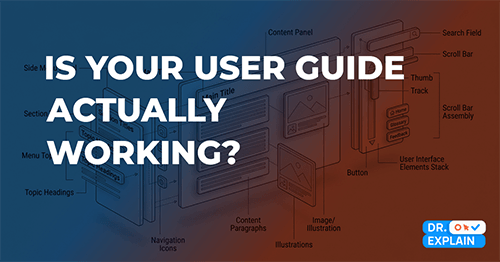
How do you know if your user documentation is actually working?
Learn how to measure user documentation success with key metrics (CSAT, NPS, ticket deflection), A/B testing formulas, real-world examples and a practical checklist.

How user documentation shapes product perception in 2026
Learn how well-crafted user documentation builds trust, reduces churn, and shapes brand perception. Practical tips, metrics, and real-world examples from Stripe, Wrike, and Bayer.
Effective user documentation and FTUE in 2026: aligning help content with first impressions
A 2026 guide to aligning user documentation with First Time User Experience (FTUE). Practical strategies, hidden TCO, AI search, and real cases from Slack, Linear, Notion, and Dropbox.

Heatmap of user guide project in Dr.Explain
The heatmap of user guide is a feature that uses color-coded statuses for topics within the program's topic tree menu. It provides users with a visual, hierarchical summary of the status of different topics.

Using a Likert scale in user guide testing
A brief expert introduction to using the Likert scale for collecting user feedback on documentation (2026). Design tips, statistics, segmentation, and technical implementation.

How to publish online user documentation: a practical guide for 2026
Publish online user documentation users love. 2026 best practices for formats, navigation, search, and mobile design. Real tips with Dr.Explain.
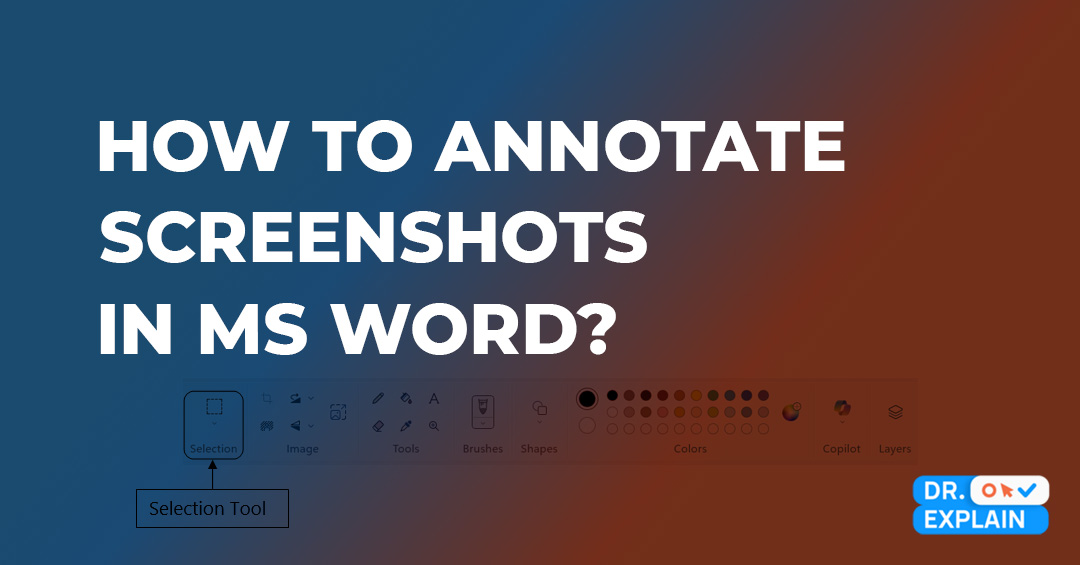
How to add annotations and captions to screenshots in MS Word in 2026?
How to annotate screenshots in MS Word. Step by step tutorial. The manual method and automated tool comparison.
Development of documentation for devices and industrial equipment: features, tools, special techniques
Digitization is sweeping across many areas of business, and in industries where accuracy is critical, specialized software is no longer necessary. New technologies optimize costs and minimize the likelihood of errors. This is especially true in the production of industrial equipment.
Development of documentation for production automation systems and business processes
Ordinary text instructions cannot fully explain the benefits and reveal the potential of a complex business process automation system. If the user does not understand the advantages of its application, he will consider it unnecessary and useless.

Applying the broken windows theory to technical writing
Broken windows theory is the concept that small irregularities left unattended can lead to more serious problems. In this article, you will learn how to keep your project up to date and avoid project obsolescence.
User-friendly interface in programs for creating user documentation
What is user-friendly interface? How to create it? What are its key features? Examples of a good interface in technical documentation.
How to write a user manual for software or a WEB service: tips, tricks and tools
Designing and writing good documentation is a job that takes a lot of time and effort. But if you successfully cope with the task, you can get loyal and satisfied customers forever.
How to write user documentation for software: best programs and services
Best programms and services for creating user manuals
White Papers: Writing Cost-Effective Documentation for Software Systems
Master cost‑effective user documentation for software projects. Use help authoring software to produce professional manuals without the high price tag.
Why software documentation needs index and how to make it work efficiently
Index is not a brand new thing to people. You can find it in textbooks, encyclopedias, handbooks, manuals. Generally index is an alphabetically sorted list of words with page numbers (or hyperlinks to pages) where they are mentioned. The reason why end-user program documentation demands index is that it can be easily interpreted as ordinary book.
Agile Technical Writing Basics
Unfortunately, nobody wrote instructions for Agile technical writers, so peculiarities of profession need to be studied out.
Software Documentation in Scrum Projects
Explore techniques for effective software documentation in Scrum projects: integrate technical writers into sprints, align docs with user stories and streamline your agile workflow.

Error Accessing and Displaying CHM Files: Reasons and Solutions
Struggling with CHM file errors or blank content? Discover the common reasons why Windows blocks compiled help files and learn effective solutions to fix CHM access issues today.

A Dozen Techniques to Improve Your Software Online Help
There are several main reasons why putting your software manual on-line is necessary. It makes your web-site attractive for search engine crawlers and therefore brings you targeted traffic from Google, Yahoo!, MSN, and other search engines.
The Hidden Power of Online Manual
Even if your manual isn't being helpful to your software users, it may be helpful to you. Publish your help manual online and turn its hidden power into a real benefit for your business.
How to make a context help for a website or a web application with Dr.Explain
Context help is a user manual that is embedded into the web application or a website and provides just in time access to the information about specific page elements
How to Create Help Files for .NET (C#) Windows-Application in Dr.Explain
This article is devoted to creation of help file in CHM format and its further integration into the .NET application. Code samples are included.
How to Create Help Files for Visual Basic (VBA.NET) Windows-Application in Dr.Explain
This article is devoted to creation of help file in CHM format and its further integration into the Visual Basic (VBA.NET) application. Code samples are included.
How to Create Help Files for MS Excel (VBA) Windows-Application in Dr.Explain
This article is devoted to creation of help file in CHM format and its further integration into the Microsoft Excel workbook. Code samples are included.
How to Create Help File for MS Access (VBA) Windows-Application in Dr.Explain
This instruction describes the process of creation of Help file for Microsoft Access in Dr.Explain and its subsequent integration into the forms of data base

How to Create Help File for Delphi Windows-Application in Dr.Explain
The article describes how to create a context sensitive help file in Dr.Explain software and to use it in a Delphi project. Code samples are included.

16 Reasons Why Only Your Users Do Not Read User Documentation
Learn why users skip your documentation and how to fix it. 16 actionable reasons to improve user manuals, software guides, and help documentation.
User documentation guides exist to help you achieve this. They provide frameworks, templates, and techniques that improve the quality and consistency of your documentation. Whether you're writing your first help system or refining an established process, following best practices makes a measurable difference.
What Are Technical Writing Best Practices?
Technical writing best practices are the principles and techniques that make documentation clear, accurate, and usable. They cover everything from structuring content to designing visuals and maintaining consistency across your documentation suite.
User documentation planning include using simple language, structuring content logically, using annotated screenshots effectively, and maintaining a consistent style. These principles apply to all forms of documentation, from quick-start guides to comprehensive online help content.
A software documentation guides checklist might include:
- Know your audience: Are you writing for end users, system administrators, or developers? The tone and level of detail depend on who's reading.
- Use plain language: Avoid jargon where possible. Use simple, direct sentences. Write in the active voice.
- Structure for scannability: Use headings, bullet points, and numbered lists to break up text. Users scan before they read in detail.
- Use visuals: Screenshots and diagrams communicate faster than text alone. Annotate them to highlight key elements.
- Write task-oriented content: Focus on what users need to do, not just what the product can do.
- Keep it current: Outdated documentation is worse than no documentation. Update it regularly as your product evolves.
How to Write User Documentation
The process of writing technical knowledge base involves several stages. Here's a practical approach:
- Research: Understand the product, its users, and the tasks they need to complete. If possible, observe users struggling with the product to understand where they need the most help.
- Structure: Organize your content into logical sections. Create a clear information hierarchy that guides users from simple to complex tasks.
- Draft: Write each section based on your research. Focus on clarity and accuracy. At this stage, don't worry too much about style — that can be refined later.
- Review: Have subject matter experts review for technical accuracy. Have sample users review for clarity and usability.
- Edit: Polish the language, check for consistency, and ensure the style guide is followed.
- Publish: Export to the formats your users need (CHM, HTML, PDF, DOCX) and make them available.
- Maintain: Keep your documentation up-to-date as the product changes. Establish a regular review cycle.
User Documentation Templates
User documentation templates save time and ensure consistency across your content. Templates provide a consistent framework for each type of document you create, whether it's a user manual, quick-start guide, online instructional resources, or API documentation.
Common user manual templates include:
- User Manual Template: Includes sections for introduction, getting started, features, troubleshooting, and support information.
- Quick-Start Guide Template: A compressed version that covers the essential tasks to get a user up and running quickly.
- Online Help Template: A structure for searchable help instructions with topic pages, navigation, and cross-referencing.
- API Documentation Template: Includes endpoint descriptions, request and response structures, error codes, and code examples.
Using user guide templates ensures that every piece of documentation your team produces maintains a consistent look, feel, and structure, making it easier for users to navigate and find what they need.
Creating User Manuals for Software
A user manual for software should be task-oriented, helping users achieve their goals. Creating user manuals for software involves more than just describing features — it's about guiding users through completing real-world tasks.
When you write a user manual for software, start with the user's goals. What are the most common tasks? What decisions do users need to make? Answering these questions will help you structure the content in a way that makes it immediately useful.
A good user manual should also include visual aids like annotated screenshots. This is where screenshot annotation comes in — adding numbered callouts and descriptions to screenshots helps users follow step-by-step instructions without getting lost.
User Documentation Style Guide
A user documentation style guide sets the standards for your team's writing. It covers everything from word choice to formatting to the use of headings and lists. A consistent style makes your documentation feel professional and helps users understand what to expect.
A user documentation style guide should include:
- Voice and tone: Who are you writing for and what is the appropriate level of formality?
- Formatting rules: How headings, lists, and tables should be formatted.
- Terminology: How product and feature names should be written and capitalized.
- Punctuation and grammar: Preferences for serial commas, capitalization, and punctuation marks.
- Image guidelines: How screenshots should be captured, cropped, and annotated.
User Guide Writing Tips
Creating great user guides requires attention to detail and a user-first mindset. Here are some user guide writing tips to keep in mind:
- Start with the most common tasks first: Users come to your documentation with specific goals. Don't bury what they need most behind introductory content.
- Use descriptive section titles: Titles like "How to..." or "Managing your account" are clearer than "User Preferences."
- Include a searchable index: If you're publishing online help, ensure that search works well. Keywords should be aligned with what users might actually search for.
- Keep it concise: Users don't want to read novels. If the information is complete and clear, stop writing.
- Test your content: Have someone unfamiliar with the product try to follow your instructions. If they get stuck, you know what to improve.
User Documentation Quality Metrics
Improving user documentation requires measuring its impact. Here are some user documentation quality metrics to consider:
- Support ticket reduction: How many users are contacting support about questions that your documentation could answer?
- User satisfaction surveys: Ask users to rate your documentation's clarity and usefulness.
- Page views: If you're hosting online help, track which pages are most viewed, which have high bounce rates, and which trigger users to leave.
- Search terms: What are users searching for in your help system? If specific terms have no results, you have content gaps to fill.
- Completion rates: If your documentation includes step-by-step guides, are users successfully completing them?
Best Practices for Annotated Screenshots
Annotated screenshots are one of the most effective tools in user documentation. To get the most from them:
- Keep it clear: Over-labeling can be as confusing as no labels. Only highlight what's relevant to the step being described.
- Use consistent styling: Use a consistent color, font, and numbering style for all callouts.
- Number steps sequentially: Number callouts to match the numbered steps in your text. Users can easily follow along.
- Explain what's highlighted: A callout without an explanation is just visual noise. Always describe what the callout is pointing to and why it matters.
- Resize screenshots appropriately: Screenshots should be large enough to be readable but not so large that they distract from the text.
Visual Documentation Best Practices
Effective visual documentation creates a seamless connection between written and visual information. This is the job you're trying to get done: help users understand your product through images, diagrams, and videos, not just text.
In visual documentation best practices, you should use visuals to simplify and clarify — not to replace text entirely. Each screenshot or diagram should serve a clear purpose.
Documentation Process for Software Teams
Establishing a documentation process for software teams involves integrating documentation into the product development lifecycle. Documentation shouldn't be an afterthought — it should be a part of each feature's release cycle.
Key elements of a documentation process include:
- Discovery: What new features need documentation?
- Assignment: Who is writing each piece of documentation?
- Review: Who is verifying accuracy and clarity?
- Publication: When and how will the documentation be released?
- Maintenance: How will documentation stay current as the product evolves?
Good user documentation is an investment in your product's success. By following these technical writing best practices, creating user manuals for software with clear tasks, using annotated screenshots effectively, and maintaining a consistent documentation process, you help your users get the most from your product while reducing support costs and improving user satisfaction.